Peaceful Pleasures Health and Wellness
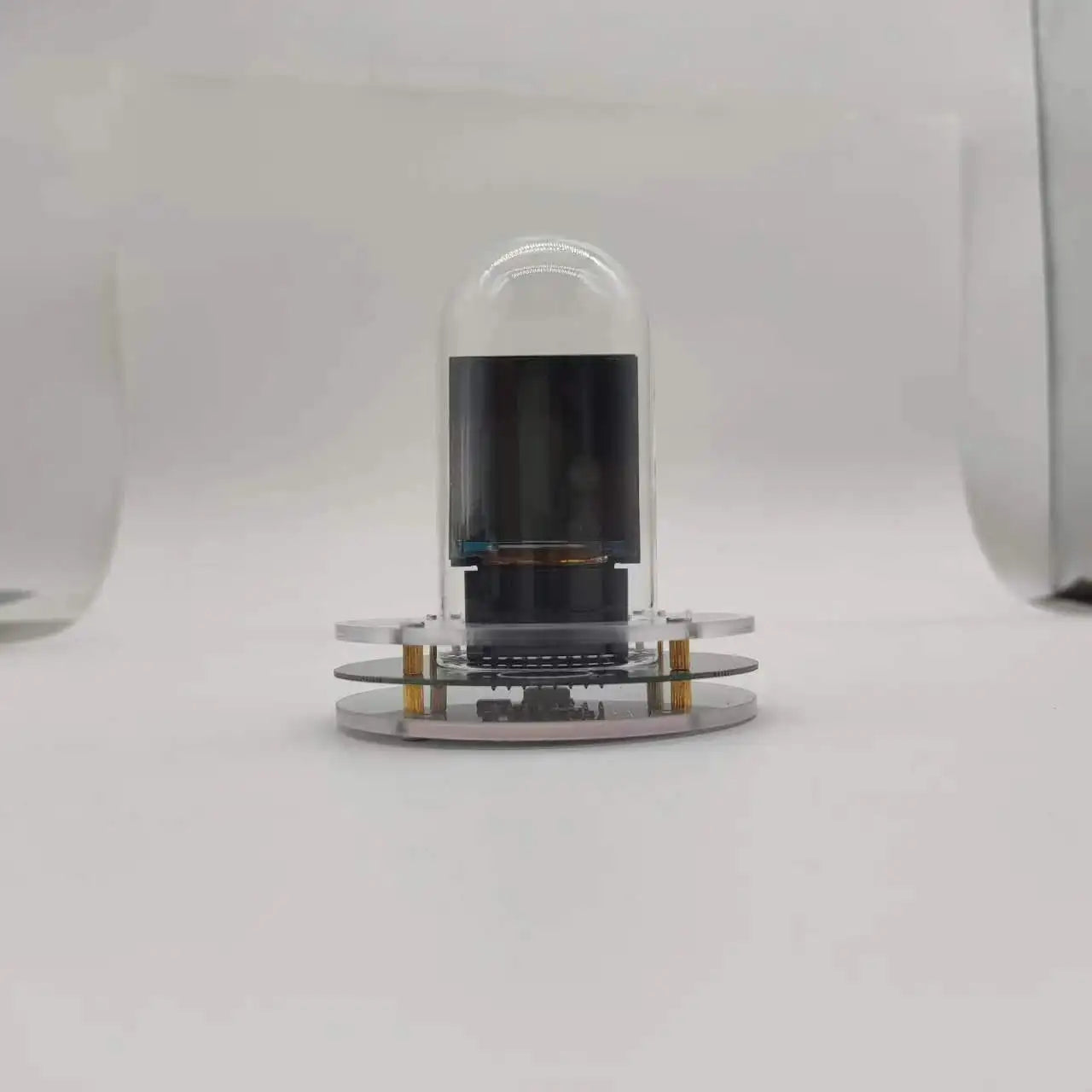
Wifi Weather Clock Forecast Station Wireless Smart Thermometer
Wifi Weather Clock Forecast Station Wireless Smart Thermometer
Couldn't load pickup availability
Discover the Wifi Weather Clock Forecast Station Wireless Smart Thermometer — a standout electronics accessories pick featuring wireless, easy to use, soft design for dependable, everyday performance.
Specifications
Brand Name: NoEnName_Null
Certification: CE
Display Size: 1.9 Inches & Under
Is Smart Device: Yes
Use: Household
Product Features:
1.English version is common to any city in the world.
2.Simple operation, no APP required.
3, WIFI networking to update the date, time, weather.
4, Animation display can be switched.
5, Support OEM, customized LOGO, customized packaging.
6, Built-in serial chip, support software upgrade.
7, New animation upload + e-album function.
8, new simple theme, new date format switching.
9, new can modify the clock color.
10.New night mode automatically reduces the brightness.
Product Specification:
Product Name: Fai Intelligent Light Tube Clock
Product Size: 8*8*9cm
Net weight: 150g
Gross weight: 200g
Screen Size: 1.54 inch 240*240 pixels
Networking: WIFI
Power connector: Type-C
Input Voltage: 5V DC
Our Advantages:
1.Operating interface is simple, no LOGO.
2, The background is simple and easy to use, after a long time optimization, customer experience is great!
2.Automatic scanning WIFI list, no need to input WIFI name.
3.Directly input the city name, no code.
Produced and assembled by our own factory, a large number of spot wholesale.
Light weight, high stock value, send data line.
Package size:
1pc: 12*12*11cm,200g (send 1 meter data cable)
12pcs: 33*22*21cm,2.9kg
Instruction manual + video tutorial + animation upload tutorial Overseas links:
https://docs.google.com/document/d/1sHKB59RBSy02pogJ9tKlHC7HIlRutOQWTapvdtRa2XA/edit?usp=drive_link
Many users report that their cell phones can not automatically pop up the setting page, and they can not set the WIFI distribution network to the clock, the reason is that the user's cell phone has set the security option. Solution:
(If the settings page does not pop up, keep your phone connected to the "Smart Weather Clock" WiFi and turn off mobile cellular data for your phone.Then enter 192.168.4.1 in the browser to open the settings page.)
Translated with DeepL.com (free version)
Options
- Color: black
Frequently Asked Questions
Q: What is the Wifi Weather Clock Forecast Station Wireless Smart?
A: The Wifi Weather Clock Forecast Station Wireless Smart is a quality electronics accessories pick. 2.Simple operation, no APP required.
Q: How do I use the Wifi Weather Clock Forecast Station Wireless Smart?
A: The Wifi Weather Clock Forecast Station Wireless Smart is ready to use right out of the box and makes an easy addition to your electronics accessories lineup.
Q: Why choose the Wifi Weather Clock Forecast Station Wireless Smart?
A: The Wifi Weather Clock Forecast Station Wireless Smart stands out in our electronics accessories range — 3, WIFI networking to update the date, time, weather.