Peaceful Pleasures Health and Wellness
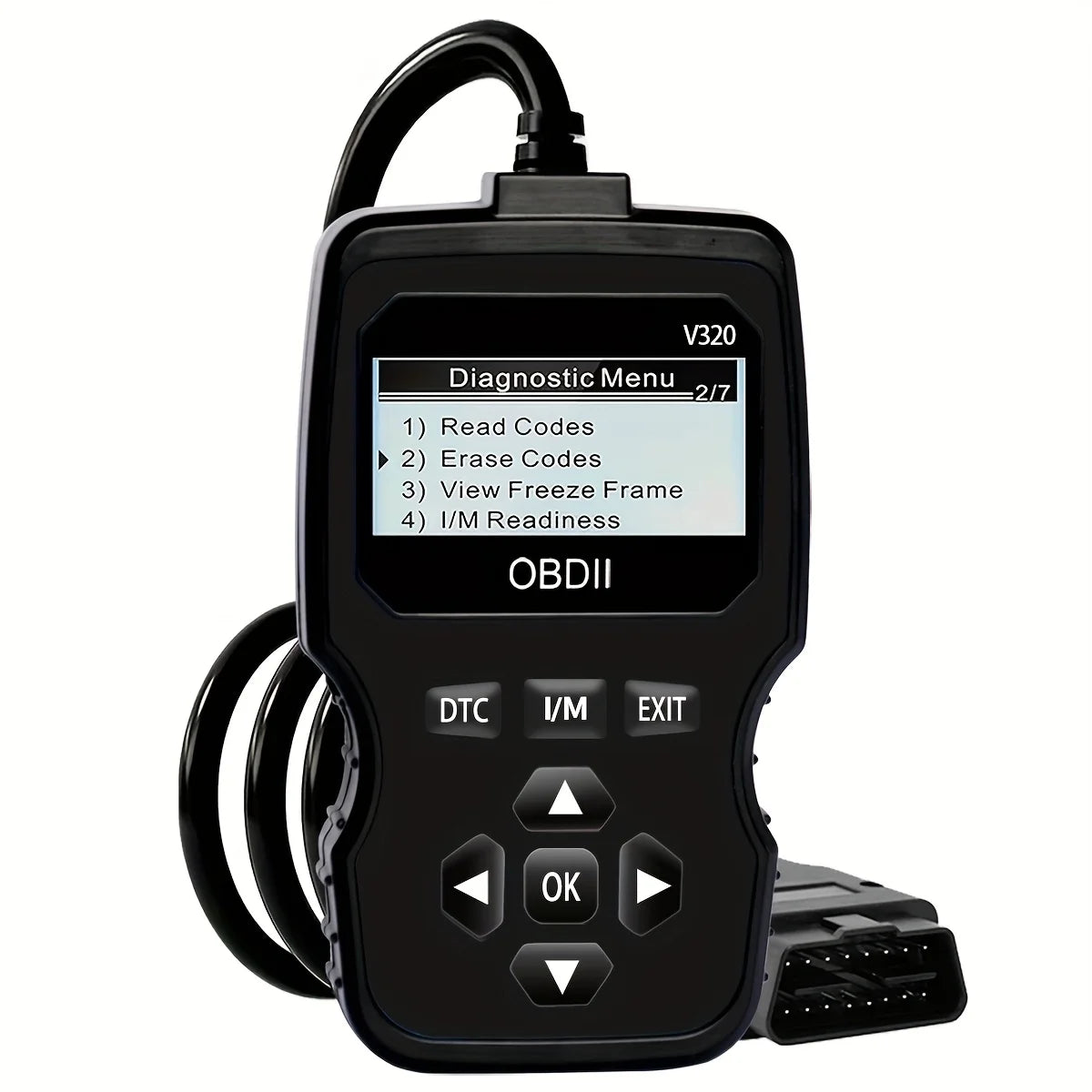
V320 OBD2 Scanner – Car Diagnostic Tool for 1996+ Vehicles
V320 OBD2 Scanner – Car Diagnostic Tool for 1996+ Vehicles
Couldn't load pickup availability
V320 OBD2 Scanner – Professional Vehicle Diagnostic Tool
Take control of your vehicle's health with the V320 OBD2 Scanner. Whether you're a seasoned mechanic or a first-time car owner, this compact plug-and-play diagnostic tool gives you instant access to your vehicle's engine data, fault codes, oxygen sensor readings, battery voltage, and more — all without needing an external battery. Compatible with virtually all OBD2-compliant cars and trucks from 1996 onwards, this scanner is your go-to solution for smarter, more informed car maintenance.
Made in Mainland China.
Key Features
- ✅ Read & Clear Fault Codes (DTCs): Quickly identify the cause of your check engine light and clear codes after repairs.
- ✅ Live Data Stream: Monitor real-time engine parameters including RPM, coolant temperature, fuel trim, and more.
- ✅ Oxygen Sensor Test: Check O2 sensor performance to ensure optimal fuel efficiency and emissions compliance.
- ✅ Battery Voltage Monitor: Instantly check your vehicle's battery voltage to prevent unexpected breakdowns.
- ✅ I/M Readiness Check: Verify whether your vehicle is ready to pass emissions and smog inspections.
- ✅ Vehicle Information (VIN): Retrieve your vehicle's identification number, calibration ID, and more.
- ✅ No Battery Required: Powered directly through your car's OBD2 port — no charging or batteries needed.
- ✅ Broad Vehicle Compatibility: Works with all standard OBD2 cars and trucks (gasoline & diesel) manufactured from 1996 and later.
- ✅ Compact & Plug-and-Play: Lightweight, easy-to-use design — simply plug into your OBD2 port and start diagnosing.
What's in the Box?
- 1 × V320 OBD2 Diagnostic Scanner
Compatibility
Suitable for all OBD2-compliant vehicles (cars, SUVs, and light trucks) from 1996 onwards. Supports all five OBD2 communication protocols: CAN, ISO9141-2, KWP2000, J1850 VPW, and J1850 PWM.
Why Choose the V320 OBD2 Scanner?
Stop paying costly diagnostic fees at auto shops for something you can do yourself in seconds. The V320 gives you professional-grade vehicle insight right in the palm of your hand. Whether you're checking for emissions readiness before an inspection or troubleshooting a mysterious warning light, this tool empowers you to make smarter decisions about your vehicle maintenance.
Related Products You May Like
- 1-In-2-Out HDMI Splitter Cable 1080P 3D – TV Monitor Projector
- 1/2 Channel Tuya WiFi Smart Relay Switch | 16A, Alexa & Google Home
Learn More About Vehicle Diagnostics
Understanding your vehicle's OBD2 system can save you time and money. Learn more about how on-board diagnostics work from the U.S. Environmental Protection Agency (EPA) – On-Board Diagnostics.
Frequently Asked Questions
Q: What vehicles are compatible with the V320 OBD2 Scanner?
A: The V320 OBD2 Scanner is compatible with all OBD2-compliant cars, SUVs, and light trucks manufactured from 1996 onwards — including both gasoline and diesel models. It supports all five standard OBD2 communication protocols.
Q: Does the V320 OBD2 Scanner require batteries or charging?
A: No! The V320 is powered directly through your vehicle's OBD2 diagnostic port — no batteries or external charging required. Simply plug it in and it's ready to use.
Q: Can the V320 OBD2 Scanner clear the check engine light?
A: Yes. The V320 can read diagnostic trouble codes (DTCs) and clear them, which will turn off the check engine light after the underlying issue has been addressed.
Q: What is I/M Readiness and why does it matter?
A: I/M Readiness (Inspection & Maintenance Readiness) tells you whether your vehicle's onboard systems have completed their self-tests and are ready for emissions or smog inspections. This is a key feature for avoiding failed inspections.
Q: Can I use the V320 scanner without any automotive experience?
A: Absolutely. The V320 is designed to be plug-and-play — simply locate your vehicle's OBD2 port (usually under the dashboard on the driver's side), plug in the scanner, and follow the on-screen prompts. No technical expertise required.