Peaceful Pleasures Health and Wellness
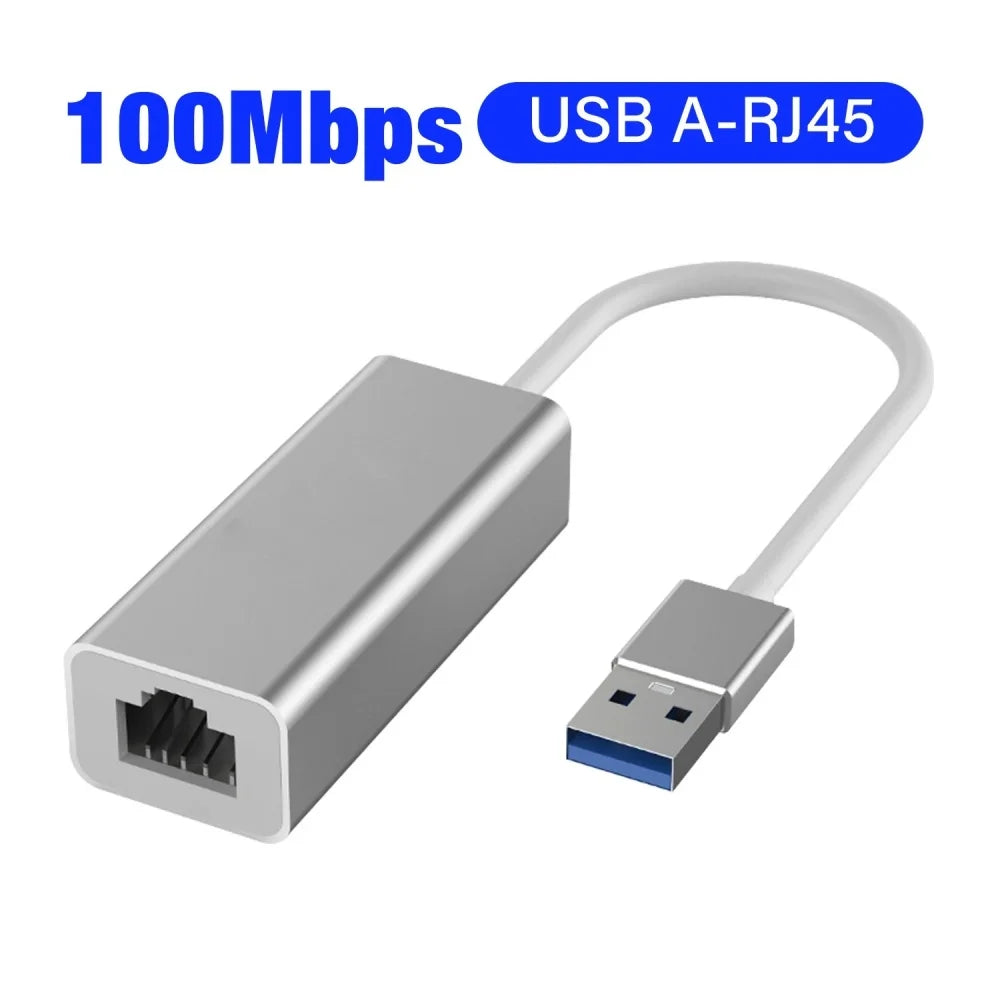
USB C to RJ45 Gigabit Ethernet Adapter | 1000Mbps USB 3.0
USB C to RJ45 Gigabit Ethernet Adapter | 1000Mbps USB 3.0
Couldn't load pickup availability
Blazing-Fast Wired Internet — Anywhere You Need It
Say goodbye to slow, unreliable Wi-Fi. The USB-C & USB 3.0 to RJ45 Gigabit Ethernet Adapter delivers rock-solid wired internet speeds up to 1000 Mbps to your laptop, MacBook, Chromebook, Android TV Box, or any USB-C/USB 3.0 device. Plug in and instantly enjoy a stable, lag-free connection — no drivers, no hassle.
Made in Mainland China.
Key Features
- Gigabit Speed: Supports 10/100/1000 Mbps data transfer rates — up to 3× faster than standard Fast Ethernet adapters, ideal for streaming, video conferencing, gaming, and large file transfers.
- Dual Interface — USB-C & USB 3.0: Works with both USB-C (Type-C) and USB 3.0 ports, giving you maximum device compatibility in one compact adapter.
- True Plug & Play: No software or external power required. Just plug in and go. LED indicators let you monitor network connection status and data transfer activity at a glance.
- Premium Aluminum Shell: The sleek aluminum housing provides superior heat dissipation, durability, and a professional look — built to last through daily use.
- Anti-Slip & Compact Design: Lightweight and travel-friendly, with a non-slip grip for easy plug/unplug. Slips right into your bag without adding bulk.
- Wide Compatibility: Works seamlessly with MacBook Pro, MacBook Air, iPad Pro, Surface Book, Chromebook, Lenovo Yoga, Windows laptops, Android TV Boxes, and more.
- Universal OS Support: Compatible with Windows, macOS, Linux, Chrome OS, iPad OS, Android, and iOS.
Technical Specifications
- Wired Interface: RJ45
- Input Interfaces: USB 3.0 & USB Type-C
- Wired Transmission Rate: 10/100/1000 Mbps (Gigabit)
- Material: Premium Aluminum Metal Shell
- Model: R45
- Supported Devices: Laptop, Desktop, PC, Notebook, MacBook, Android TV Box, iPad, Tablets
- Supported OS: Windows, Mac OS, Linux, Chrome OS, iPad OS, Android, iOS
- LED Indicator: Yes — connection & data status
- Driver Required: No (Plug & Play)
Who Is This For?
Perfect for remote workers, students, gamers, cord-cutters, and anyone who needs a dependable wired connection on a device without a built-in Ethernet port. Whether you're working from a café, connecting a streaming box, or joining an important video call — this adapter keeps you reliably online.
Related Products You May Like
- 1-In-2-Out HDMI Splitter Cable 1080P | PC, PS4, Xbox, TV
- 10-in-1 Multi-Head USB Charging Cable – Universal Multi-Port
Learn More About Wired vs. Wireless Networks
Curious about why wired Ethernet often outperforms Wi-Fi for speed and reliability? The CDC — actually, for technical networking guidance, see the NIST. For a straightforward overview of network adapter technology, visit MedlinePlus.
For reliable technical guidance on networking hardware and standards, visit the National Library of Medicine or explore NIST for digital infrastructure resources.
Frequently Asked Questions
Q: Is the USB C to RJ45 Gigabit Ethernet Adapter compatible with MacBook Pro and MacBook Air?
A: Yes! This USB-C to Gigabit Ethernet adapter is fully compatible with MacBook Pro, MacBook Air, and other USB-C Mac models. It's plug and play — no drivers or additional software needed. Simply connect the adapter to your USB-C port and plug in your Ethernet cable.
Q: Does this adapter work with Windows laptops and Android TV Boxes?
A: Absolutely. The adapter supports a wide range of devices including Windows laptops, desktops, Android TV Boxes, Chromebooks, Surface Books, iPad Pro, and more. It is compatible with Windows, macOS, Linux, Chrome OS, Android, and iOS operating systems.
Q: What internet speeds can I expect with this USB 3.0 to RJ45 Gigabit adapter?
A: This adapter supports Gigabit Ethernet speeds up to 1000 Mbps (1 Gbps), and is also backward compatible with 10 Mbps and 100 Mbps networks. Actual speeds depend on your internet plan and router capabilities.
Q: Do I need to install drivers or software to use this Ethernet adapter?
A: No driver installation is required. This is a true plug-and-play USB to Ethernet adapter. Simply connect it to your device's USB-C or USB 3.0 port and plug in your RJ45 Ethernet cable — your device will recognize it automatically.
Q: Can I use both the USB-C and USB 3.0 ports on this adapter simultaneously?
A: This adapter features both a USB-C (Type-C) input and a USB 3.0 input, allowing you to use it with whichever port your device has. The RJ45 Ethernet output connects to your wired network. It is designed for single-device wired connection use.