Peaceful Pleasures Health and Wellness
USB-C to HDMI VGA Adapter 4K | 4-in-1 Hub for MacBook
USB-C to HDMI VGA Adapter 4K | 4-in-1 Hub for MacBook
Couldn't load pickup availability
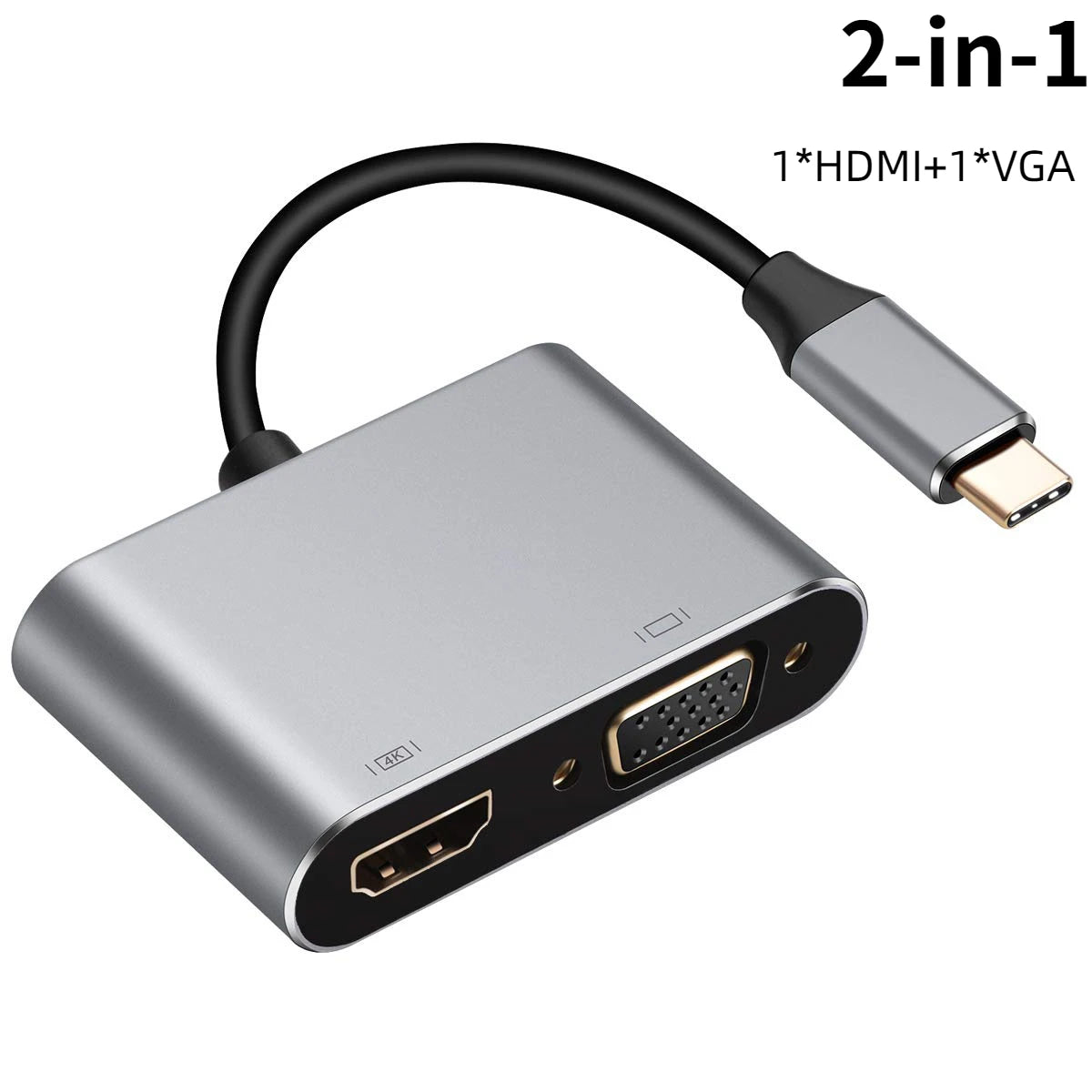
USB-C to HDMI & VGA Multiport Adapter – 4K Display, Fast Charging & USB 3.0
Expand your laptop's connectivity instantly with this versatile USB-C to HDMI & VGA Multiport Adapter. Whether you're presenting at work, streaming movies on a big screen, or transferring large files at lightning speed, this compact aluminum hub does it all. Compatible with MacBook, Samsung Galaxy, Huawei Mate, Chromebook, and Windows 7–10 devices with DisplayPort Alternate Mode (DP Alt Mode).
Made in Mainland China.
Choose Your Model
- 4-in-1 HDMI Model: 1× HDMI (4K 30Hz / 4K 60Hz solo) + VGA 1080P + PD 100W + USB 3.0
- 2-in-1 HDMI Model: 1× HDMI (4K 30Hz) + PD Charging
Key Features
- 4K Crystal-Clear Display: HDMI output supports up to 4K 30Hz (or 4K 60Hz when used as the sole HDMI connection) — enjoy razor-sharp visuals on monitors, TVs, or projectors.
- VGA 1080P Output: Stay connected to legacy monitors and projectors with full HD 1080P VGA support (4-in-1 model).
- Up to 100W Power Delivery: Charge your laptop at full speed while simultaneously using all other ports — no power interruptions during work or entertainment.
- USB 3.0 High-Speed Data Transfer: Transfer files at up to 5Gbps — plug in external drives, keyboards, mice, card readers, and more.
- MST Multi-Screen Display: Mirror or extend your desktop across multiple screens simultaneously for a true multi-monitor setup.
- Premium Aluminum Alloy Build: Sleek, durable, and heat-resistant housing keeps the adapter cool during extended use.
- Broad Compatibility: Works with MacBook Pro/Air, Samsung Galaxy, Huawei Mate, Chromebook, and any USB-C / Thunderbolt 3 device supporting DP Alt Mode.
Specifications
| Material | Aluminum Alloy |
| HDMI Output | 4K 30Hz (4K 60Hz single-HDMI mode) |
| VGA Output | 1080P (4-in-1 model only) |
| Power Delivery | Up to 100W (PD) |
| USB | USB 3.0 — up to 5Gbps |
| Compatible Devices | MacBook, Samsung Galaxy, Huawei Mate, Chromebook, Windows 7–10 with DP Alt Mode |
| Origin | Mainland China |
Compatible With
- MacBook Pro / MacBook Air (USB-C / Thunderbolt 3)
- Samsung Galaxy S & Note Series
- Huawei Mate Series
- Google Chromebook
- Windows Laptops & Tablets with USB-C (DP Alt Mode)
- Speakers, Monitors, DVD Players, Projectors, and more
Applications
Perfect for home office setups, boardroom presentations, gaming on a big screen, video editing with dual monitors, or everyday multi-device connectivity. Simply plug in and get to work — no drivers required.
Related Products You May Like
- 1-In-2-Out HDMI Splitter Cable 1080P 3D – TV Monitor Projector
- 1-In-2-Out HDMI Splitter Cable 1080P | PC, PS4, Xbox, TV
- 10-in-1 Multi-Head USB Charging Cable – Universal Multi-Port
Frequently Asked Questions
Q: Will this USB-C to HDMI adapter work with my MacBook Pro or MacBook Air?
A: Yes! This adapter is fully compatible with MacBook Pro and MacBook Air models featuring a USB-C or Thunderbolt 3 port. Simply plug in the USB-C connector and you're ready to output 4K video, charge your MacBook, and connect USB peripherals simultaneously.
Q: Can I use both HDMI and VGA outputs at the same time on the 4-in-1 model?
A: The 4-in-1 model supports MST (Multi-Stream Transport), allowing you to extend or mirror your display across multiple screens. When using two HDMI outputs simultaneously, each supports up to 4K 30Hz. Using a single HDMI port alone unlocks 4K 60Hz.
Q: Does this adapter support 100W Power Delivery while other ports are in use?
A: Yes. The Power Delivery port supports up to 100W, so you can charge your laptop at full speed while simultaneously using the HDMI, VGA, and USB 3.0 ports — no compromise on charging performance.
Q: Is this adapter compatible with Windows laptops and Chromebooks?
A: Absolutely. This adapter works with any device that has a USB-C port with DisplayPort Alternate Mode (DP Alt Mode) support, including Samsung Galaxy, Huawei Mate, Chromebook, and Windows 7–10 laptops.
Q: Do I need to install drivers to use this USB-C hub?
A: No driver installation is required. This is a true plug-and-play adapter — just connect it to your USB-C port and it works immediately with your display and peripherals.