Oasis Select
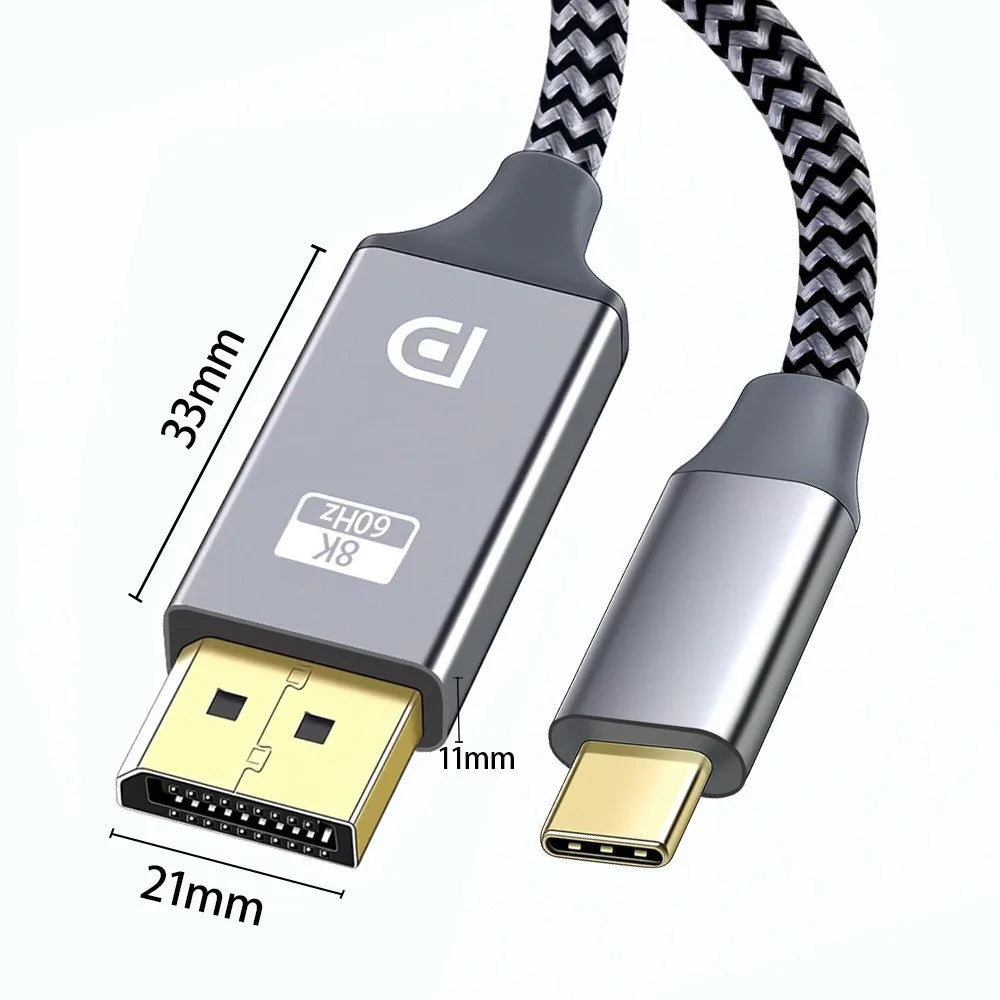
USB-C to DisplayPort 1.4 Cable 1.8M | 8K@60Hz 4K@144Hz
USB-C to DisplayPort 1.4 Cable 1.8M | 8K@60Hz 4K@144Hz
Couldn't load pickup availability
DIXSG USB-C to DisplayPort 1.4 Cable – Crystal-Clear 8K, 4K & 2K Visuals
Unlock the full visual potential of your USB-C or Thunderbolt device with this premium 1.8M USB-C to DisplayPort 1.4 cable from DIXSG. Delivering a blazing 32.4Gbps bandwidth, this cable supports stunning 8K@60Hz, 4K@144Hz, and 2K@165Hz resolutions — perfect for professional creators, gamers, and power users who demand the absolute best from their displays.
Key Features
- Ultra-High Resolution Support: Drive your monitor at 8K@60Hz, 4K@144Hz, or 2K@165Hz for incredibly sharp, fluid visuals — whether you're editing video, gaming, or multitasking.
- Plug & Play: No drivers or software needed. Simply connect and enjoy — supports single or dual DisplayPort monitor setups instantly.
- Thunderbolt 4/3 Compatible: Fully compatible with Thunderbolt 3 and Thunderbolt 4 ports that support DisplayPort Alternate Mode, including MacBook Pro, iMac, Surface Book 2, Google Chromebook, and more.
- Premium Build Quality: Durable nylon-braided cable with an aluminium alloy housing and 24K gold-plated connectors for a stable, corrosion-resistant connection and reduced signal delay.
- Wide OS Compatibility: Works seamlessly with Windows 10/8/7/XP/Vista, macOS X, and Linux.
- Uni-Directional: Converts from USB-C source to DisplayPort display only (not reversible).
Compatibility
Works with any USB-C 3.1 or Thunderbolt 3/4 port that supports DisplayPort Alternate Mode, including:
- MacBook Pro (2016, 2017, 2018+)
- iMac (2017+)
- Microsoft Surface Book 2
- Google Chromebook
- Most modern Windows & Linux laptops with USB-C 3.1
Specifications
- Length: 1.8 metres
- Bandwidth: 32.4Gbps
- Resolutions: 8K@60Hz | 4K@144Hz | 2K@165Hz
- Connectors: USB-C (Male) → DisplayPort (Male)
- Cable Type: Nylon Braided
- Housing: Aluminium Alloy
- Plating: 24K Gold
- Made in Mainland China
What's in the Box
- 1 × USB-C to DisplayPort 1.4 Cable (1.8M)
⚠️ Important Notes
This is a uni-directional cable — it works only from a USB-C source to a DisplayPort display, not the other way around. Your USB-C port must support DisplayPort Alternate Mode to use this cable. If your monitor's DisplayPort does not support a specific refresh rate or resolution (e.g. 8K or 120Hz), the display may show no picture when set to those modes — this is a monitor limitation, not a cable fault.
Related Products You May Like
- 1.8M USB-C to HDMI Cable 4K – MacBook, Laptop & Phone
- 1.3m Spiral Cable Protector for Xiaomi M365 & Ninebot Scooter
For more information on display standards and cable specifications, visit the U.S. Department of Energy – Energy-Efficient Home Office Equipment.
Learn more: DisplayPort
Frequently Asked Questions
Q: Does this USB-C to DisplayPort 1.4 cable support 4K@144Hz gaming monitors?
A: Yes! This cable fully supports 4K@144Hz, making it an excellent choice for high-refresh-rate gaming monitors. Simply connect your USB-C or Thunderbolt 3/4 device to your 4K DisplayPort monitor and configure the resolution and refresh rate in your display settings.
Q: Will this cable work with my MacBook Pro?
A: This cable is compatible with MacBook Pro models from 2016 onwards (and iMac 2017+) that feature a Thunderbolt 3 or Thunderbolt 4 port supporting DisplayPort Alternate Mode. Plug it directly into your MacBook Pro's USB-C port and connect to any DisplayPort 1.4 monitor — no adapters or drivers required.
Q: Is this cable compatible with Windows PCs and Linux systems?
A: Absolutely. This USB-C to DisplayPort cable works with Windows 10, 8, 7, XP, Vista, macOS X, and Linux, provided the USB-C port on your device supports DisplayPort Alternate Mode. It's a truly plug-and-play solution across all major operating systems.
Q: Can I use this cable in reverse — from DisplayPort to USB-C?
A: No. This is a uni-directional cable and only works from a USB-C source to a DisplayPort display. It cannot be used in reverse to connect a DisplayPort source to a USB-C display.