Peaceful Pleasures Health and Wellness
Selfie Monitor Screen Clip for iPhone – Rear Camera Vlog
Selfie Monitor Screen Clip for iPhone – Rear Camera Vlog
Couldn't load pickup availability
See Yourself Clearly — Shoot Perfect Selfies with Your Rear Camera
Stop settling for the inferior front camera. The Phone Selfie Monitor Screen clips right onto the back of your iPhone, giving you a real-time live preview of your rear camera — so every selfie, vlog, and live stream looks like it was shot by a professional. Plug in, power on, and start creating in seconds.
Made in Mainland China.
Why Creators Love This Selfie Screen
- 📱 Real-Time Rear Camera Preview – See exactly what your rear (main) camera sees, so you never miss focus, lighting, or framing again.
- ⚡ Plug & Play — No Setup Needed – Connect via the included Type-C cable, flip the power switch, and your screen mirrors instantly. No apps, no Wi-Fi, no complicated settings for iPhone users.
- 🌟 AMOLED Brightness Up to 700 nits – At 320PPI with 4-level adjustable brightness, this screen stays vivid and sharp indoors and outdoors in direct sunlight.
- 🎛️ Bluetooth Remote Shutter Included – The ergonomically designed Bluetooth remote snaps onto the back of your phone as a physical shutter key, or detaches for hands-free remote shooting with ultra-low latency.
- 🔗 Wired Stability, Zero Lag – A high-speed wired connection beats wireless every time — no dropped signals, no buffering, no missed moments during live streams.
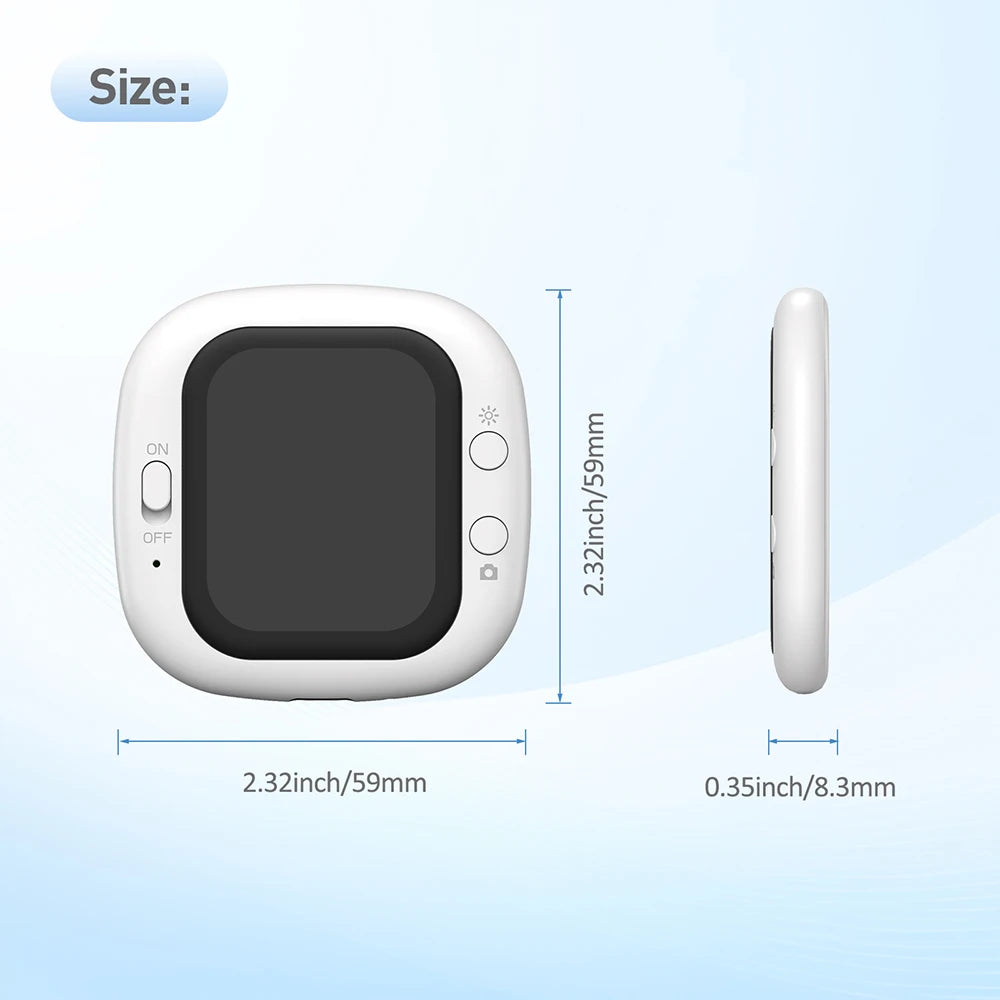
- 📐 Compact & Portable – At just 58×58×8mm, it slips into any bag or pocket. Comes with an official gift storage bag for travel and on-the-go shoots.
- 🔄 Image Mirror Function – Long-press the brightness button to flip the image, so text and graphics always display correctly in your frame.
Product Specifications
| Screen Size | 2.01 inch LCD Display |
| Resolution | 240 × 308 pixels |
| Viewing Angle | Full-angle |
| Brightness | 4-level adjustable / 500 cd/㎡ max (AMOLED up to 700 nits) |
| Connectivity | Wired (Type-C) + Bluetooth |
| Input Power | Type-C 5V 1A (USB 5–20V DC) |
| Power Consumption | 0.8W |
| Supported Systems | iOS 11 and above (iPhone 5–iPhone 17); Android via HCCast app |
| Operating Temperature | -10°C to +40°C |
| Storage Temperature | -30°C to +40°C |
| Dimensions | 58 × 58 × 8mm |
| Country of Origin | Mainland China |
What's in the Box
- 1× Selfie Display Screen
- 1× Type-C Cable
- 1× Instruction Manual
- 1× Gift Storage Bag
How to Connect (iPhone)
- Connect the included Type-C cable between the selfie display and your iPhone.
- Flip the power switch to ON — the red power indicator will light up.
- Your iPhone automatically connects and mirrors the rear camera view. (Default password for first connection: 1234)
- Open Bluetooth settings, search for "D12", and pair the remote shutter.
- Open your Camera app and press the Camera Button to shoot — hands-free!
How to Connect (Android)
- Download the HCCast app from the Google Play Store (or scan the QR code in the manual).
- Connect via Type-C cable and follow the in-app prompts to allow screen mirroring.
- Pair the Bluetooth shutter remote as described above and start shooting.
Care & Safety Tips
- Do not expose to direct sunlight, high temperatures, or humid environments during storage.
- Use a sunshade when shooting outdoors in bright conditions for optimal screen visibility.
- Clean only with a soft, dry cloth — no chemical cleaners.
- Avoid drops or strong impacts.
- Do not disassemble or attempt self-repair.
Pair With More Creator Gear
Take your content to the next level with these related accessories from our store:
- Selfie Sticks & Tripods – Stable shooting platforms for every angle.
- Camera & Video Accessories – Lenses, mounts, and more for the serious creator.
- 1.3L Cool Mist Humidifier with LED Night Light – Keep your studio space comfortable during long shoots.
For more tips on mobile videography and smartphone camera techniques, visit the NIH research on visual media and content creation.
Frequently Asked Questions
Q: Is this selfie screen compatible with Android phones as well as iPhones?
A: Yes! This selfie monitor screen supports both iOS 11 and above (iPhone 5 through iPhone 17) and Android devices. Android users will need to download the free HCCast app from the Google Play Store to enable screen mirroring. iPhone users simply plug in and play — no additional apps required.
Q: Does the selfie screen need its own battery or separate power source?
A: No separate battery is needed. The selfie display is powered directly through the Type-C cable connected to your phone (5V 1A input). It draws only 0.8W, so it has a minimal impact on your phone's battery life during shoots.
Q: How does the Bluetooth remote shutter work?
A: The included Bluetooth remote pairs with your phone via the "D12" Bluetooth device name. Once paired, it functions as a physical shutter button. You can keep it attached to the back of your phone for a one-handed grip, or detach it and use it as a hands-free remote — perfect for group shots, tripod setups, and professional vlogging setups.
Q: Can I use this selfie screen outdoors in bright sunlight?
A: Yes! The screen features brightness up to 700 nits (twice the brightness of most comparable products) with 4-level adjustable brightness settings and 320PPI resolution. For the best results in very bright outdoor environments, use the included storage bag as a makeshift shade or carry a small phone sunshade.
Q: What does the image mirror function do?
A: Long-pressing the backlight brightness button activates image mirroring, which flips the display horizontally. This is especially useful when holding a sign, showing text, or filming content where correct left-right orientation matters in the preview.