Peaceful Pleasures Health and Wellness
RJ45 LAN Tap – Wireshark Ethernet Packet Capture Tool
RJ45 LAN Tap – Wireshark Ethernet Packet Capture Tool
Couldn't load pickup availability
RJ45 LAN Tap – Passive Ethernet Packet Capture for Wireshark & Network Analysis
Whether you're a network security professional, ethical hacker, or IT enthusiast, the Throwing Star LAN Tap is an essential passive tool for capturing and analyzing Ethernet traffic in real time. Simply plug it inline between two RJ45 connections and use your favorite packet analyzer — like Wireshark — to monitor network data without disrupting the live connection.
No power required. No software to install. Just plug in and start capturing — it's that simple.
Key Features
- Passive Design: Requires no battery or external power — completely transparent to the network
- Wireshark Compatible: Works seamlessly with Wireshark and other packet capture tools
- Compact & Portable: Measures just 4.5 × 4.2 cm (1.77 × 1.65 in) — fits in any tech kit or laptop bag
- Durable Construction: Built from quality PCB + Metal materials in a sleek silver finish
- No Network Disruption: Inline tap does not interrupt or alter the traffic being monitored
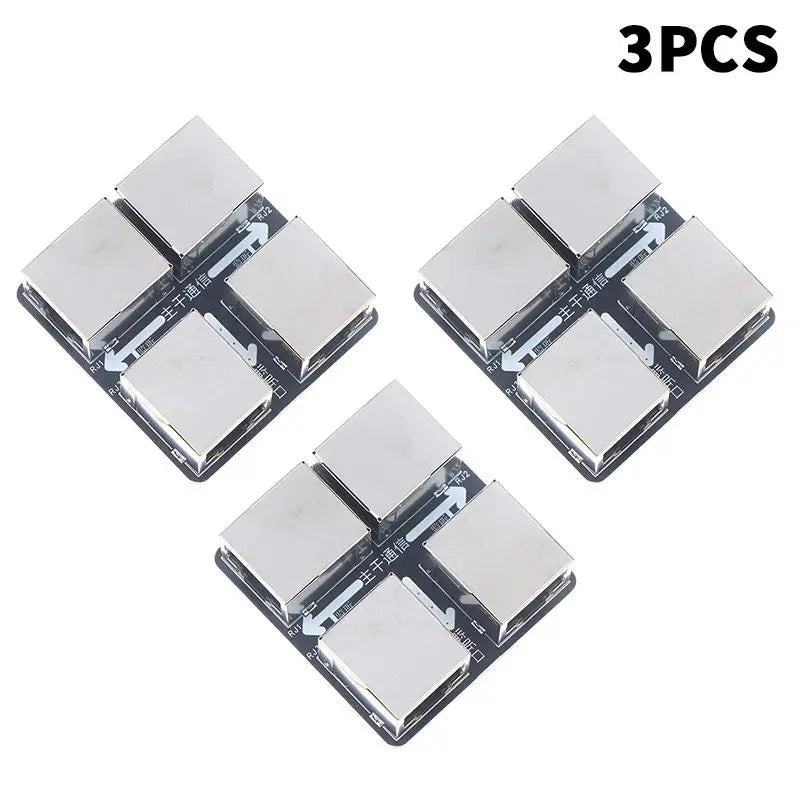
- Multi-Pack Options: Available in 1, 2, or 3-piece sets — perfect for multi-point network monitoring
- Standard RJ45 Ports: Fits all standard Cat5e / Cat6 / Cat6a Ethernet cables
What's in the Box?
- 1, 2, or 3× RJ45 Throwing Star LAN Tap (PCB + Metal, Silver)
Specifications
| Material | PCB + Metal |
| Color | Silver |
| Dimensions | 4.5 × 4.2 cm / 1.77 × 1.65 in |
| Battery Required | No |
| Compatible Software | Wireshark, tcpdump, and other packet analyzers |
| Country of Origin | Made in Mainland China |
Who Is This For?
This LAN tap is ideal for:
- Network security professionals and penetration testers
- IT administrators troubleshooting network issues
- Ethical hackers and cybersecurity students
- Home lab enthusiasts learning about network protocols
Looking to expand your networking toolkit? Check out these related accessories from our store:
- Smart Wi-Fi Relay Switch – 16A Tuya Smart Automation Module
- Tuya Smart Switch – 100–240V 16A Smart Home Relay Breaker
For more information on network security and packet analysis best practices, visit the CDC — or for technical cybersecurity guidance, refer to NCBI.
⚠️ For authorized and legal network monitoring use only. Always ensure you have proper permission before capturing network traffic on any network you do not own or administer.
Frequently Asked Questions
Q: What is a LAN Tap and how does the Throwing Star LAN Tap work?
A: A LAN Tap is a passive hardware device that sits inline between two Ethernet connections (RJ45 ports) and silently copies network traffic to a monitoring port. The Throwing Star LAN Tap requires no power and does not alter or interrupt the data flowing through it — making it completely transparent to the network. You simply connect it to your packet capture software like Wireshark to analyze traffic in real time.
Q: Does the RJ45 LAN Tap require batteries or external power?
A: No — the Throwing Star LAN Tap is a fully passive device. It requires no batteries, no USB power, and no external power supply of any kind. This makes it ideal for discreet and portable use in any network environment.
Q: Is this LAN Tap compatible with Wireshark?
A: Yes. The Throwing Star LAN Tap is fully compatible with Wireshark as well as other packet capture tools such as tcpdump. Simply place the tap inline on an Ethernet segment and connect your capture interface to the monitoring port to begin analyzing traffic.
Q: What Ethernet cable types does this RJ45 LAN Tap support?
A: This LAN Tap uses standard RJ45 connectors and is compatible with Cat5e, Cat6, and Cat6a Ethernet cables.
Q: Can I buy multiple LAN Taps at once?
A: Yes! This product is available in 1-piece, 2-piece, and 3-piece packs, making it easy to set up monitoring at multiple points across your network simultaneously.