Oasis Select
PS5 Portal Charging Dock Stand with 14 RGB Lighting Modes
PS5 Portal Charging Dock Stand with 14 RGB Lighting Modes
Couldn't load pickup availability
PS5 Portal Charging Dock with 14 RGB Lighting Modes
Keep your PlayStation Portal powered up and ready to play with this dedicated charging dock. Designed specifically for the PS Portal handheld console, this compact stand lets you charge your device upright using a simple Type-C connection — no fiddly steps, no extra accessories needed. Made in Mainland China.
Key Features
- Designed for PlayStation Portal: A snug, purpose-built fit for your PS Portal console. Simply connect the included charging cable to an adapter and place your device on the Type-C connector to begin charging instantly.
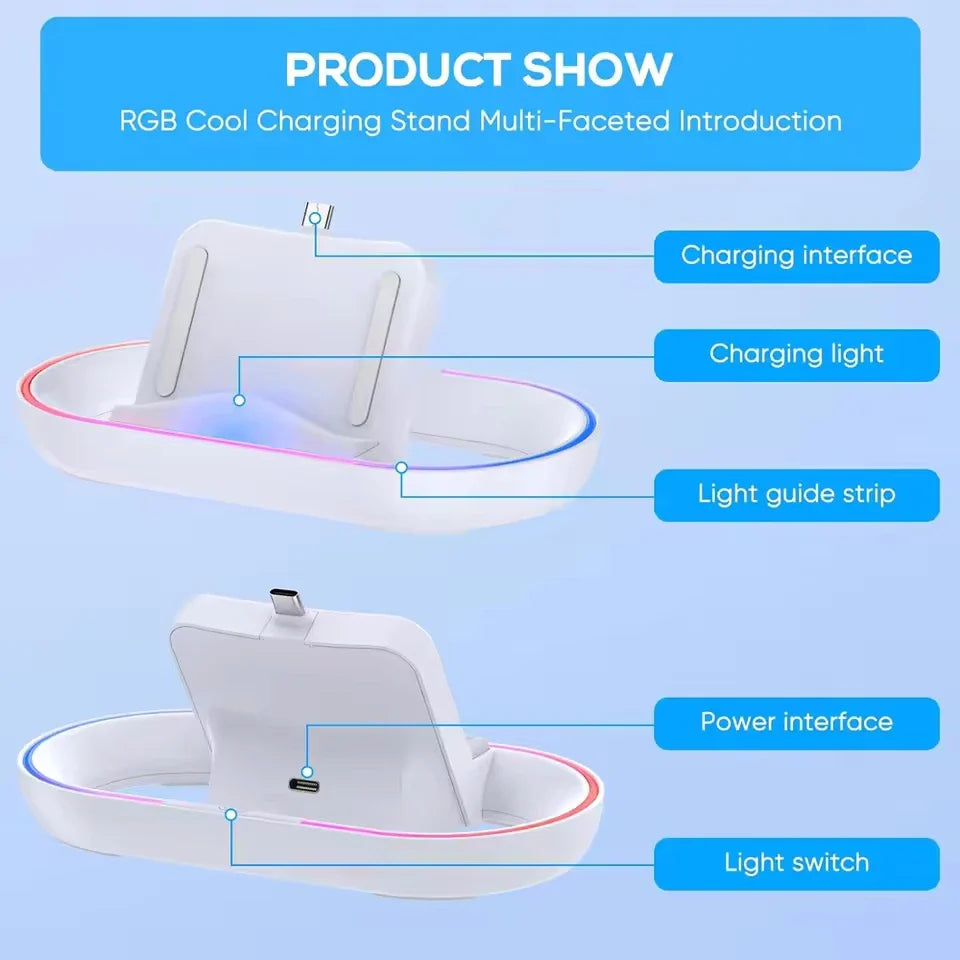
- Clear LED Charge Indicators: An orange LED lets you know charging is in progress, while a blue LED signals a full charge. The dock automatically cuts power once your device is fully charged, protecting the battery.
- 14 Cool RGB Lighting Effects: Elevate your gaming setup with a built-in RGB light strip featuring 14 selectable lighting modes. Short-press the dedicated switch button to cycle through modes; long-press for 3 seconds to save your favourite mode and power off the lights.
- Slip-Resistant Base: Non-slip feet keep the dock firmly in place on your desk, shelf, or nightstand — no sliding, no toppling.
- Compact & Travel-Friendly: Lightweight and space-saving, this stand doubles as a storage holder when you're not gaming. Perfect for the bedroom, living room, or on the go.
Important Note
Please remove any protective case from your PS Portal before placing it on the charging dock. You may also need a USB-A port adapter depending on your power source.
What's in the Box
- 1× Charging Dock
- 1× Charging Cable
Compatible With
Sony PlayStation Portal (PS5 Remote Player)
Related Products You May Like
- 1.32" AMOLED Smart Watch – Bluetooth Call, Fitness & Health Tracker
- 1.44" Touch Smartwatch – Bluetooth Calls & Fitness Tracker
For general consumer electronics safety guidance, visit the U.S. Consumer Product Safety Commission (CPSC).
Frequently Asked Questions
Q: Is this charging dock compatible with the PS5 PlayStation Portal Remote Player?
A: Yes! This charging dock is specifically designed for the Sony PlayStation Portal (PS5 Remote Player). It uses a Type-C connector to charge the device efficiently without requiring any complicated setup.
Q: Do I need to remove my PS Portal's protective case before charging?
A: Yes, it is recommended to remove any protective case before placing your PlayStation Portal on the charging dock to ensure a proper Type-C connection and uninterrupted charging.
Q: How do I control the RGB lighting effects?
A: Simply short-press the dedicated lighting switch button to turn on or cycle through the 14 available RGB lighting modes. To save your preferred mode and turn off the lights, long-press the button for 3 seconds.
Q: Does the dock stop charging automatically when the device is full?
A: Yes. Once your PlayStation Portal is fully charged, the indicator light switches from orange to blue and the dock automatically cuts power to prevent overcharging.