Peaceful Pleasures Health and Wellness
PC External Power Switch Blue LED | ATX Motherboard Cable
PC External Power Switch Blue LED | ATX Motherboard Cable
Couldn't load pickup availability
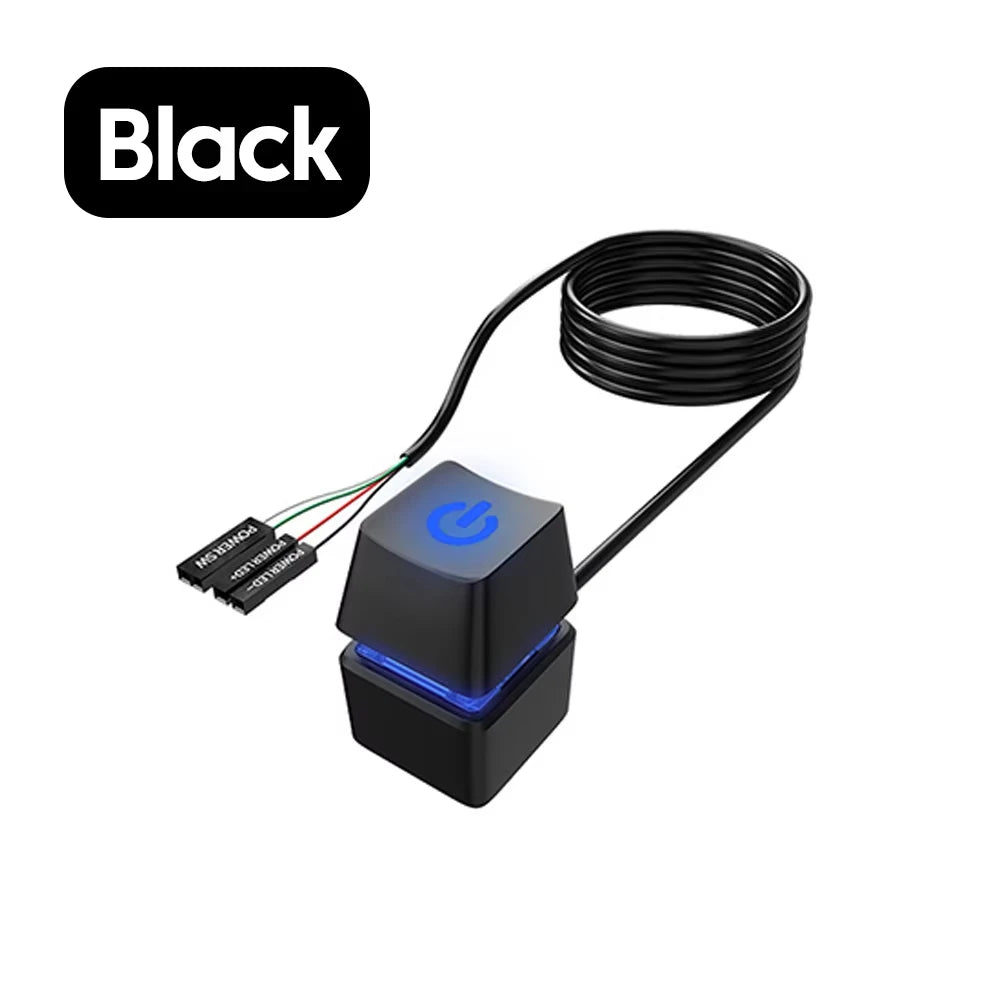
PC Desktop External Power Switch with Blue LED – ATX Motherboard Extension Cable
Take full control of your desktop PC from wherever you need it. This external power switch extension cable lets you power your computer on or off remotely — perfect for hard-to-reach tower setups, open-frame rigs, water-cooled builds, gaming stations, and busy office desks. The glowing blue LED indicator lets you know at a glance whether your system is powered on, adding both function and flair to your setup.
Made in Mainland China.
Certified CE, FCC, and RoHS compliant for your peace of mind.
Key Features
- Long 1.8M Extension Cable – Flexible, abrasion-resistant wire gives you plenty of reach to place the switch exactly where it's most convenient.
- Blue LED Power Indicator – Instantly see whether your PC is on or off with the bright, easy-to-read LED light.
- Sensitive Mechanical Switch – Responsive tactile feedback similar to a high-quality keyboard switch for a satisfying click every time.
- Universal ATX Motherboard Compatibility – Works with virtually all standard ATX desktop motherboards — no special drivers or software needed.
- Plug-and-Play Installation – Simply connect the four wires (Power SW, Power LED+, Power LED–) to the appropriate header pins on your motherboard. No soldering required.
- Sturdy Adhesive Mount – Built-in adhesive base lets you mount the switch cleanly to any flat desktop or surface for quick, tool-free placement.
- Rescue Damaged Front Panel Buttons – A lifesaver when your case's built-in power button breaks or becomes inaccessible.
- Lightweight & Portable – Weighs under 30 grams, making it easy to reposition or take with you to a LAN party or second workspace.
Specifications
- Cable Length: 1.8 meters
- Colors Available: Black / White
- LED: Blue (Style A features 7-color cycling LED)
- Switch Type: Mechanical
- Mount Type: Adhesive base
- Certifications: CE, FCC, RoHS
- Model: N95
- Origin: Made in Mainland China
Ideal For
- DIY PC builders and gaming rigs
- Open-frame and water-cooled chassis setups
- Home offices, internet cafes, and server rooms
- Replacing broken or inaccessible case power buttons
- Bare-board (breadboard) PC testing
Important Safety Notices
- Do not immerse this product in water.
- Do not modify or disassemble the unit.
- Do not subject it to strong impacts.
- Normal operating temperature: room temperature up to 60°C maximum. Some warmth during extended use is normal.
- Product images are for reference only; actual design details may vary slightly.
Related Products You May Like
- 1/2 Channel Tuya WiFi Smart Relay Switch | 16A, Alexa & Google Home Compatible
- Tuya WiFi Smart Relay Switch – Smart Automation Module
For more information on safe electronics use and computer hardware, visit CDC – Electrical Safety.
Frequently Asked Questions
Q: Will this external PC power switch work with my motherboard?
A: Yes! This switch extension cable is compatible with virtually all standard ATX desktop motherboards. It connects to the standard front-panel header pins (Power SW, Power LED+, Power LED–) found on nearly every desktop motherboard. If your PC uses an ATX form factor, this switch should work seamlessly.
Q: How do I install the external power switch on my PC?
A: Installation is plug-and-play and requires no tools or soldering. First, locate the front-panel header on your motherboard (consult your motherboard manual if needed). Connect the four wires — Power SW, Power LED+, and Power LED– — to the corresponding pins. Then use the included adhesive base to mount the switch to your desk or any flat surface. That's it — your external PC power button is ready to use.
Q: Can I use this switch to replace a broken case power button?
A: Absolutely. This is one of the most popular uses for this extension cable. If your computer case's built-in power button has become damaged, stuck, or is simply too hard to reach, this external switch plugs directly into the same motherboard header and acts as a full replacement.
Q: What does the Blue LED indicate?
A: The blue LED power indicator lights up when your PC is powered on, giving you a clear visual confirmation of your system's status. Note: Style A variants feature a 7-color cycling LED for added visual flair.
Q: Is the cable long enough to reach across my desk?
A: Yes — the cable measures 1.8 meters (approximately 6 feet) in length, giving you ample reach to place the power switch in a convenient spot on your desk, even if your PC tower is placed on the floor or in a corner.