Peaceful Pleasures Health and Wellness
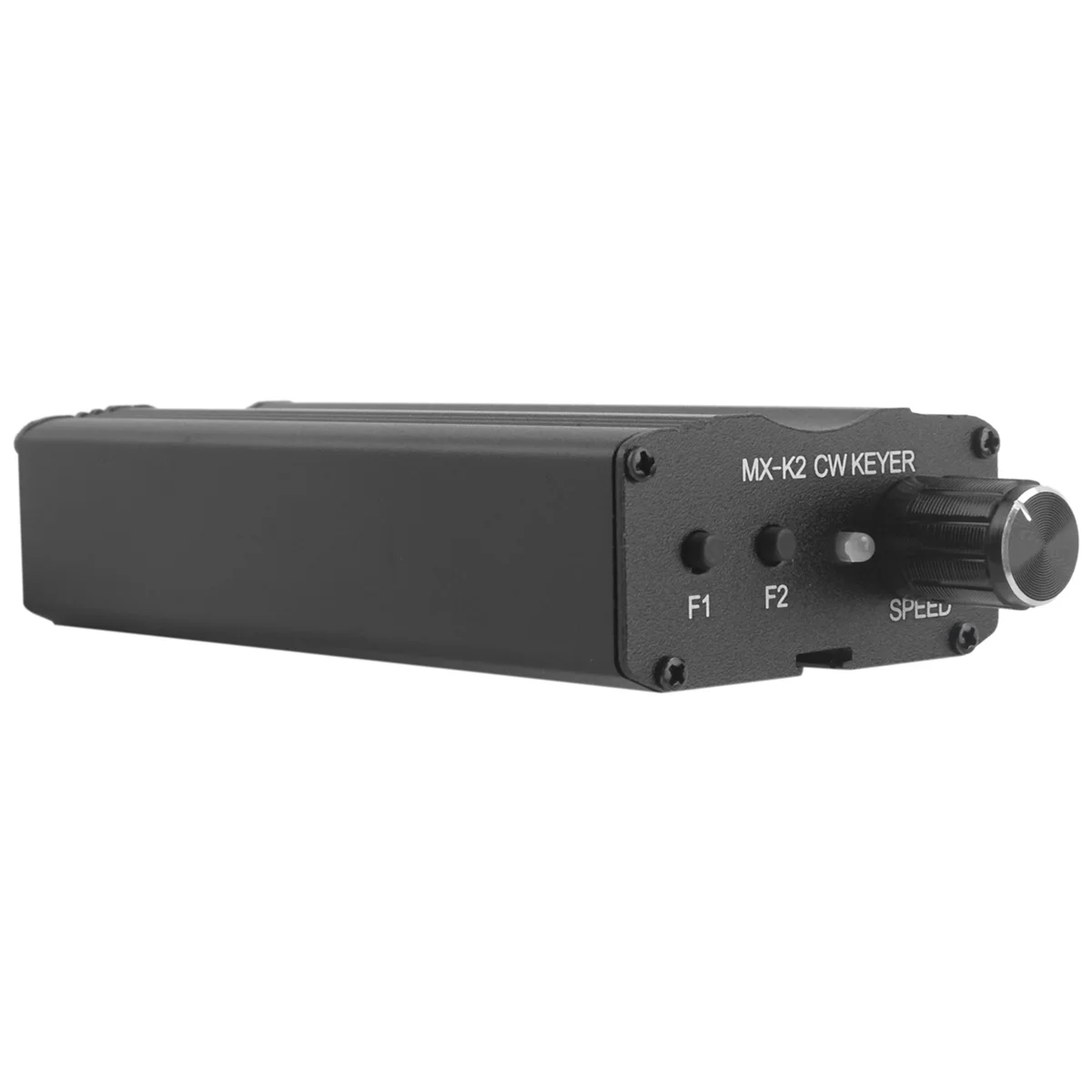
MX-K2 CW Keyer – Morse Code Auto Memory Key Controller
MX-K2 CW Keyer – Morse Code Auto Memory Key Controller
Couldn't load pickup availability
MX-K2 CW Keyer – Morse Code Automatic Memory Key Controller for Ham Radio
Take your amateur radio operating to the next level with the MX-K2 CW Keyer Automatic Key Controller. Designed for ham radio enthusiasts and CW operators, this compact metal device features segmented memory storage, power-off protection, and an adjustable speed control — making it ideal for both casual practice and on-air operation.
Key Features
- Dual Memory Channels: F1 stores up to 60 words with power-off protection; F2 stores up to 50 words (active power required to retain data).
- Segmented Memory: Store long messages in multiple segments using EOM (End of Message) markers — then replay any specific segment with the press of a button.
- Simple 2-Button + Switch Operation: Minimal controls make it easy to record, play back, and switch modes without a steep learning curve.
- Adjustable Speed Control: Use the onboard R3 potentiometer to fine-tune your keying speed at any time. Speed increases as R3 value decreases.
- Power-Off Protection (F1): Your stored messages in F1 are safe even when the device powers down.
- Buzzer Mute (J1): Toggle the built-in sidetone buzzer on or off as needed.
- Di/Da or Da/Di Paddle Mode: Switch between L/R paddle orientations to suit your keying style.
- Command Mode: Press F1 + F2 simultaneously to enter command mode ("C" tone) for advanced configuration.
- Ultra Power Efficient: Runs on just 2 × AAA batteries (not included) with super power-saving design — 6W max per channel.
- Durable Metal Construction: Solid build in classic black finish for long-lasting, reliable use on the desk or in the field.
How to Use
- Record a message: Press and hold F1 or F2 for more than half a second until you hear the "M" tone — the unit is now recording. When done, press F1 or F2 again to hear the "S" (saved) confirmation tone.
- Overflow warning: If you exceed the memory limit, the device sounds "F" and stops recording the excess.
- Play a segment: Press the memory key once for the first segment, twice for the second, three times for the third, and so on.
- Enter/exit command mode: Press F1 and F2 simultaneously; press again or input "D" via the auto key to exit.
Specifications
| Brand | MiLESEEY (MX-K2) |
| Power Supply | 2 × AAA Batteries (Not Included) |
| Max Power Per Channel | 6W |
| Material | Metal |
| Color | Black |
| Country of Origin | Made in Mainland China |
| High-Concern Chemicals | None |
Package Contents
- 1 × MX-K2 Morse Code Auto Memory Key Controller
- Note: 2 × AAA batteries are NOT included. Colors may vary slightly due to screen display differences. Measurement tolerance: ±1–3 cm.
Related Products You May Like
- 10-in-1 Multi-Head USB Charging Cable – Universal Multi-Port
- 1.35m Selfie Stick Tripod | Bluetooth Remote & Auto Phone Holder
Learn More About Morse Code & Amateur Radio
- FDA: Radio Frequency (RF) Radiation Overview
Frequently Asked Questions
Q: What is the difference between the F1 and F2 memory channels on the MX-K2 CW Keyer?
A: The F1 channel stores up to 60 words of Morse code and includes power-off protection, meaning your recorded message is retained even when the batteries are removed or the device powers down. The F2 channel stores up to 50 words but does not retain data after power loss — it is best used for temporary or session-based messages.
Q: How do I adjust the keying speed on the MX-K2 Morse Code Auto Memory Key Controller?
A: Speed is controlled via the onboard R3 potentiometer. Simply turn R3 to a lower value to increase keying speed, or raise the value to slow it down. This can be adjusted at any time during operation, making it easy to match your preferred CW sending speed.
Q: Can I store messages in multiple segments using the MX-K2 CW Keyer?
A: Yes! You can split a long message into several segments by inputting an EOM (End of Message) signal at the end of each segment during recording. To replay, simply press the memory key once for segment one, twice for segment two, three times for segment three, and so on.
Q: What batteries does the MX-K2 CW Keyer use?
A: The MX-K2 Morse Code Auto Memory Key Controller is powered by 2 × AAA batteries, which are not included in the package. The device is designed to be highly power-efficient for extended use on air or in the field.
Q: Is the MX-K2 compatible with standard ham radio amplifiers and transceivers?
A: Yes, the MX-K2 is designed as a universal CW keyer controller compatible with standard ham radio setups, including amplifiers and transceivers that accept a keyer input. Always check your radio's key jack specifications before connecting.