Peaceful Pleasures Health and Wellness
Mini External SSD 2TB–16TB | USB 3.2 Portable Hard Drive
Mini External SSD 2TB–16TB | USB 3.2 Portable Hard Drive
Couldn't load pickup availability
Take Your Storage Anywhere — Ultra-Compact External SSD
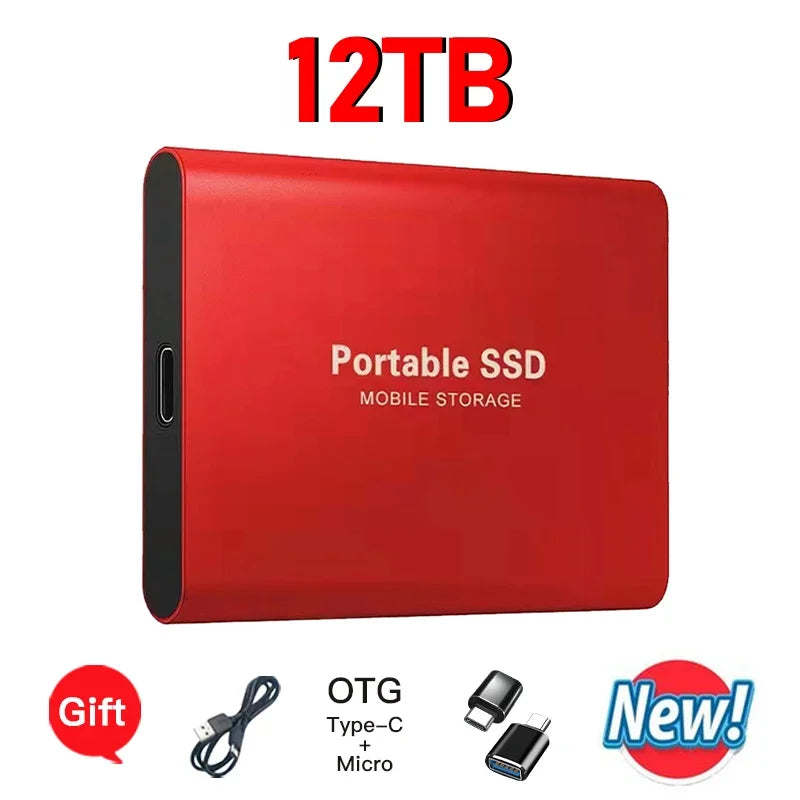
Meet your new go-to storage companion. This mini external solid state drive packs massive capacity — available in 2TB, 4TB, and up to 16TB — into a pocket-sized aluminum alloy and plastic shell that slips easily into any bag or pocket. With USB 3.2 / Type-C connectivity and true plug-and-play functionality, it's ready to use the moment you connect it — no drivers, no hassle.
Whether you're backing up important documents, transferring large video files, or expanding storage on your laptop or desktop, this portable drive delivers fast, reliable performance across Windows 7, 8, 10, 11, macOS, and Android devices.
Made in Mainland China.
Key Features
- Massive Capacity Options: Choose from 2TB, 4TB, or up to 16TB to suit your storage needs.
- USB 3.2 / Type-C Interface: High-speed data transfer for quick file management.
- Plug and Play: No software installation needed — just connect and go.
- Universal Compatibility: Works with laptops, desktops, smartphones, and tablets running Windows, macOS, and Android.
- Durable Build: Aluminum alloy and plastic construction for everyday durability.
- ExFAT Format: Pre-formatted for broad cross-platform compatibility.
- Ultra-Compact Size: 7.5 × 5.5 × 1 cm — lightweight and portable.
- Wide Operating Temperature: Reliable performance from 0°C to 40°C.
Specifications
| Material | Aluminum alloy + Plastic |
| Interface | USB 3.1 / Type-C |
| Format | ExFAT |
| Dimensions | 7.5 × 5.5 × 1 cm |
| Compatible Systems | Windows 7/8/10/11, macOS, Android |
| Compatible Devices | Laptop, Desktop, Smartphone, Tablet |
| Operating Temperature | 0°C – 40°C |
| Origin | Mainland China |
What's in the Box?
- 1 × Mini External Solid State Drive
- 1 × USB Data Cable
Important Usage Notes
- ⚠️ First-time formatting (Windows only): If reformatting is needed, always select ExFAT format. Formatting on Mac is not recommended.
- ⚠️ Mac users: This drive is compatible for file storage and data transfer on Mac. Do NOT reformat on Mac. Models above 2TB are not recommended for Mac users due to compatibility limitations.
- ⚠️ Not compatible with PS4, PS5, Xbox, or other gaming consoles.
Explore More Storage & Electronics
Looking for more tech essentials? Check out our related products:
- "1% Better Every Day" Motivational Canvas Poster | Wall Art
- "Everything Is Fine" Funny Men's Graphic T-Shirt | Cotton Tee
For guidance on safe data storage and digital security best practices, visit the Cybersecurity & Infrastructure Security Agency or learn about data storage standards at NIST – Data Topics.
Frequently Asked Questions
Q: Is this mini external SSD compatible with Mac computers?
A: Yes, this portable external SSD works with macOS for file storage and data transfer. However, Mac users are strongly advised to choose the 2TB version or below, as capacities above 2TB may not be fully compatible with Mac. Also, do not reformat the drive on a Mac — it is pre-formatted in ExFAT and should remain in that format.
Q: Can I use this external hard drive with my Android smartphone?
A: Yes! This drive is compatible with Android devices. Simply use the included USB data cable or a compatible OTG adapter to connect it to your smartphone or tablet running Android.
Q: Does this portable SSD work with gaming consoles like PS4, PS5, or Xbox?
A: No, this external solid state drive is not compatible with PS4, PS5, Xbox, or other gaming consoles. It is designed for use with Windows PCs, Mac computers, laptops, desktops, and Android devices.
Q: Do I need to install any software or drivers to use this drive?
A: No drivers or software installation is required. This mini external SSD is true plug-and-play — simply connect it via USB 3.2 or Type-C and your device will recognize it automatically.
Q: What format does this external SSD use, and can I reformat it?
A: The drive comes formatted in ExFAT, which provides wide compatibility across Windows, macOS, and Android. If you need to reformat, this should only be done on a Windows PC, and you must select ExFAT as the format. Do not reformat on a Mac.