Peaceful Pleasures Health and Wellness
Mini ELM327 V2.1 Bluetooth OBD2 Car Diagnostic Scanner Tool
Mini ELM327 V2.1 Bluetooth OBD2 Car Diagnostic Scanner Tool
Couldn't load pickup availability
Read & Clear Your Car's Engine Codes in Seconds
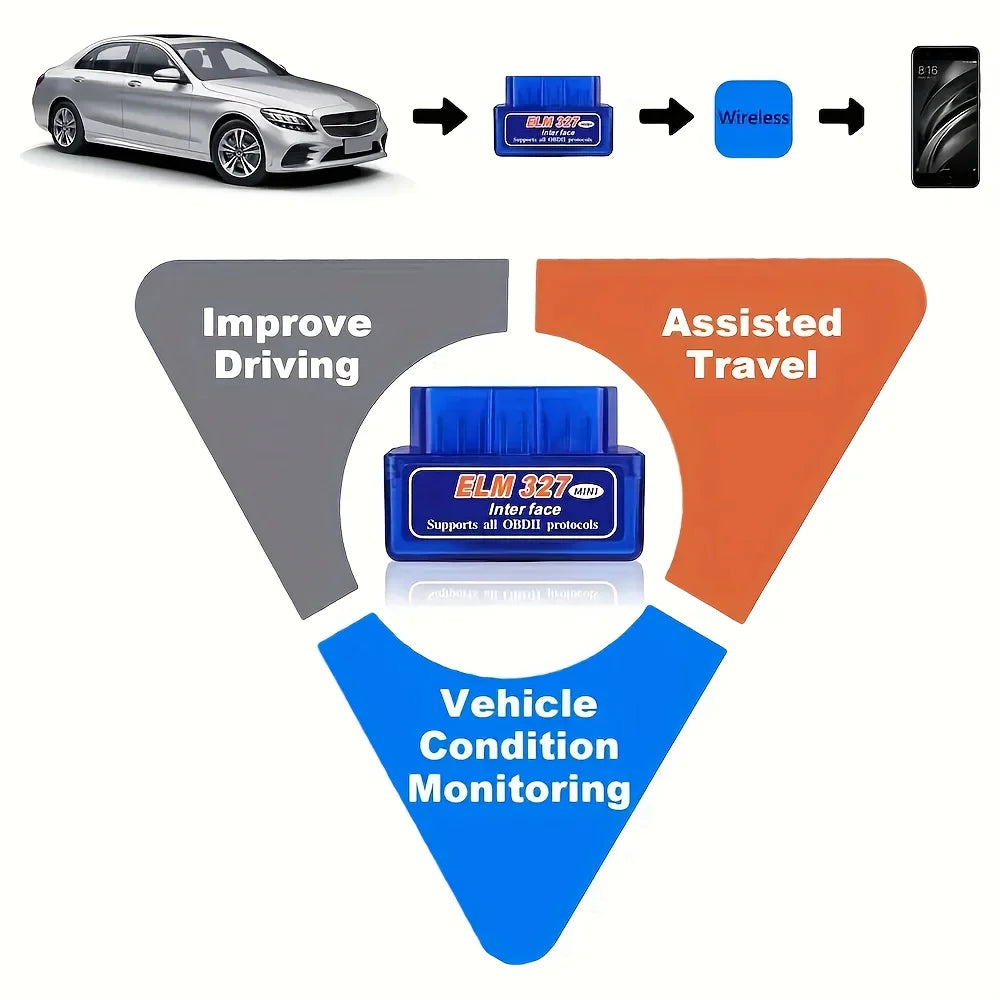
Stop guessing what that check engine light means. The Mini ELM327 V2.1 Bluetooth OBD2 Scanner plugs straight into your car's OBD-II port and wirelessly connects to your Android smartphone or Windows PC — giving you instant access to real-time diagnostics, fault codes, and vehicle health data. Compact, affordable, and incredibly easy to use, this pocket-sized tool puts professional-grade car diagnostics right in your hands.
Why You'll Love This OBD2 Scanner
- Wireless Bluetooth Connectivity — No cables, no clutter. Pairs seamlessly with Android devices and Windows laptops via Bluetooth for a hassle-free experience.
- Read & Clear DTCs — Instantly read Diagnostic Trouble Codes (DTCs) and clear that annoying check engine light without a trip to the mechanic.
- Real-Time Data Monitoring — Track live engine parameters including RPM, coolant temperature, fuel trim, vehicle speed, and more.
- Universal OBD-II Compatibility — Works with the vast majority of petrol and diesel vehicles manufactured after 1996 that support the OBD-II standard.
- ELM327 V2.1 Chipset — Industry-trusted chip ensures broad protocol support including CAN, ISO, VPW, PWM, and KWP2000.
- App-Ready — Compatible with popular free and paid OBD apps such as Torque Pro, OBD Auto Doctor, Car Scanner, and many others.
- Ultra-Compact Design — Mini form factor means it stays plugged in discreetly and doesn't interfere with your driving.
- Made in Mainland China
Key Specifications
- Version: ELM327 V2.1
- Communication Interface: OBD-II
- Wireless Technology: Bluetooth
- Compatibility: Android & Windows
- Supported Protocols: CAN, ISO9141-2, KWP2000, J1850 VPW, J1850 PWM
- Battery: Not required (powered by vehicle OBD port)
What Can You Do With It?
Whether you're a weekend DIY mechanic or just want to know why your check engine light came on, this scanner helps you:
- Diagnose engine faults before visiting a garage and potentially save hundreds on diagnostic fees
- Monitor your car's performance in real time
- Check emissions readiness before an MOT or smog test
- Identify and clear fault codes yourself
How It Works
- Plug the mini scanner into your vehicle's OBD-II port (usually under the dashboard, driver's side)
- Turn on your ignition (engine on or in accessory mode)
- Pair via Bluetooth on your Android phone or Windows PC
- Open your preferred OBD app and start scanning
Related Products You May Like
Looking for more automotive tools and accessories? Check out these popular items in our store:
- 1.8M DisplayPort to HDMI Cable 4K DP Adapter – PC TV Monitor
- 1/2 Channel Tuya WiFi Smart Relay Switch | 16A, Alexa & Google Home
External Resource
For more information on vehicle onboard diagnostics and emission standards, visit the U.S. Environmental Protection Agency's OBD information page.
Frequently Asked Questions
Q: Is the Mini ELM327 V2.1 OBD2 scanner compatible with iOS (iPhone)?
A: This particular version uses Bluetooth and is designed for Android devices and Windows PCs. It is not compatible with iOS (iPhone/iPad) due to Apple's Bluetooth restrictions. For iOS compatibility, you would need a Wi-Fi version of the ELM327 scanner.
Q: Which OBD2 apps work best with this ELM327 Bluetooth scanner?
A: This scanner works with a wide range of popular OBD2 apps available on Android and Windows. Some of the most recommended include Torque Pro, OBD Auto Doctor, Car Scanner ELM OBD2, and DashCommand. Many of these apps offer free versions to get you started.
Q: Will this OBD2 scanner work on my car?
A: The ELM327 V2.1 scanner is compatible with all OBD-II compliant vehicles, which includes most petrol and diesel cars and light trucks manufactured from 1996 onwards in the US, and from around 2001 onwards in Europe. Simply check that your car has a standard 16-pin OBD-II diagnostic port.
Q: Does the scanner drain my car battery when left plugged in?
A: The scanner draws a very small amount of power from the OBD-II port. For short-term use this is generally not a concern, but if your vehicle will be parked for extended periods, it is advisable to unplug the scanner to avoid any minimal battery drain over time.