Peaceful Pleasures Health and Wellness
Mac Mini M4 Power Button Stand & 3D Printed Push Switch
Mac Mini M4 Power Button Stand & 3D Printed Push Switch
Couldn't load pickup availability
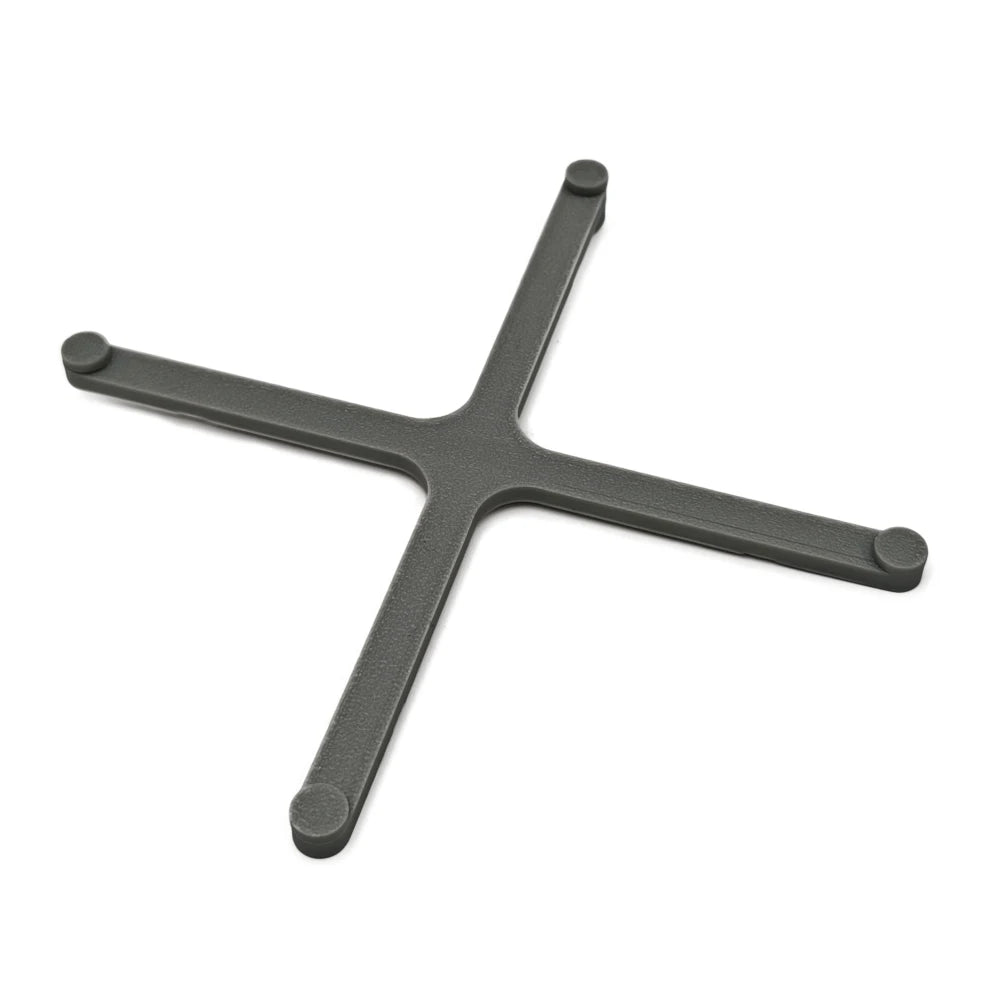
Mac Mini M4 Power Button Base & Stand – 3D Printed Push Switch
Tired of reaching under or behind your Mac Mini M4 just to press the power button? Because Apple placed the power button on the bottom of the 2024 Mac Mini M4, powering it on or off can be genuinely awkward. This clever 3D-printed accessory solves that problem in style — it acts as both a sleek stand that elevates your Mac Mini and a convenient push-switch extension so you can power your machine on or off with a simple press from the top.
Made in Mainland China.
- Convenient Power Access: Simply press the top of the switch to activate the Mac Mini M4's recessed power button — no more bending down or flipping your device.
- Doubles as a Stand: Raises your Mac Mini M4 slightly off your desk for a cleaner, more organised setup while improving airflow around the unit.
- Multiple Colour Options: Available in two colour choices so you can match your desktop aesthetic or personal preference.
- Durable 3D-Printed Construction: Crafted from high-quality materials designed for long-lasting use — no wear, no wobble, just stable and reliable performance every day.
- Minimalist, Integrated Design: The sleek, low-profile form factor complements the Mac Mini M4's modern look without adding visual clutter.
- Reduces Accidental Presses: The deliberate press-from-the-top mechanism makes unintentional power-offs a thing of the past.
- No Power Required: Purely mechanical — no batteries, no wiring, no USB connection needed.
Package Includes
- 1 × Mac Mini M4 Power Button Base / Push Switch Stand
Compatibility
Designed specifically for the 2024 Apple Mac Mini M4. Please confirm your Mac Mini model before purchasing.
Related Accessories You May Like
- 1-In-2-Out HDMI Splitter Cable 1080P 3D – TV Monitor Projector
- 1.8M DisplayPort to HDMI Cable 4K DP Adapter – PC TV Monitor
For guidance on ergonomic desk setups and reducing repetitive strain at your workstation, visit the OSHA Computer Workstations eTool for best practices.
Frequently Asked Questions
Q: Will this Mac Mini M4 power button stand fit other Mac Mini models?
A: This accessory is designed specifically for the 2024 Apple Mac Mini M4, which uniquely has its power button on the bottom of the unit. It may not be compatible with earlier Mac Mini models that have the power button in a different location. Please verify your Mac Mini model before ordering.
Q: Does this power button switch require any installation tools or adhesives?
A: No tools or adhesives are needed. The 3D-printed push switch base simply sits beneath your Mac Mini M4. Its mechanical design means you place it and it's ready to use immediately — completely non-invasive and reversible.
Q: What colours are available for this Mac Mini M4 stand?
A: This accessory is available in two colour options so you can coordinate with your existing desk setup or match the Mac Mini's finish. Check the product listing for the latest available colour variants.
Q: Is this switch electrically connected to the Mac Mini?
A: No — this is a purely mechanical accessory. It physically extends and transfers the press of your finger to the Mac Mini M4's built-in power button. There are no electrical components, no USB connections, and no batteries required.