Peaceful Pleasures Health and Wellness
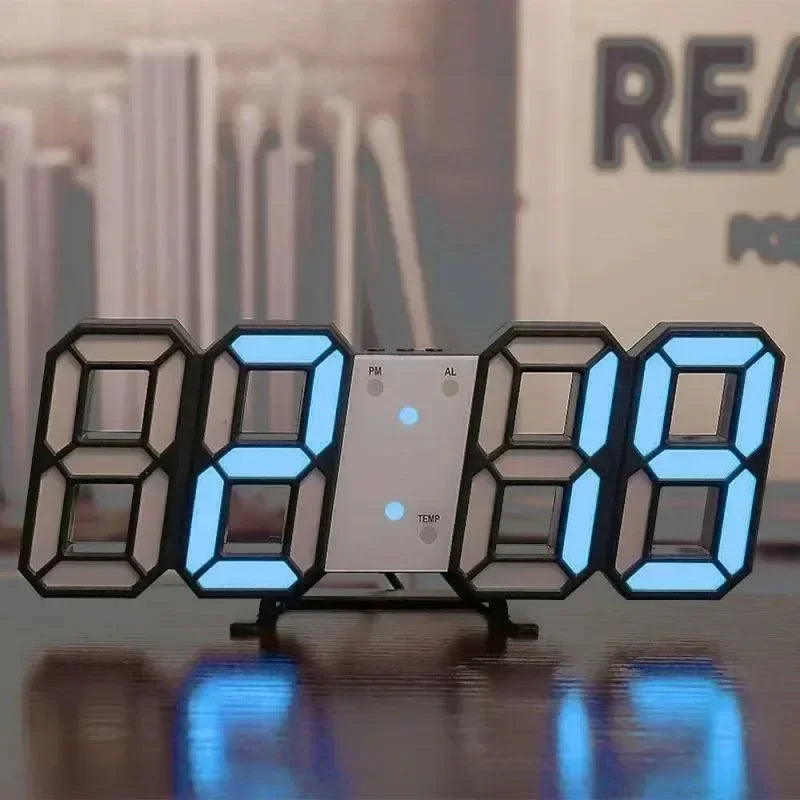
LED Digital Wall & Desk Clock with Alarm, Dimmer & Snooze
LED Digital Wall & Desk Clock with Alarm, Dimmer & Snooze
Couldn't load pickup availability
LED Digital Wall & Desk Clock — Modern Home Décor for Any Room
Upgrade your bedroom, living room, or office with this sleek LED Digital Clock that doubles as both a wall-hanging and a desk clock. Featuring a bright, easy-to-read LED display, adjustable brightness, and a built-in alarm with snooze, this modern timepiece blends seamlessly into any interior style while keeping you on schedule.
Key Features
- 3-Level Adjustable Brightness — Choose low, medium (default), or high brightness to suit any lighting environment.
- Auto Night-Dimming Mode — The display automatically dims in the dark so it never disturbs your sleep.
- 12/24-Hour Display Modes — Switch between standard and military time formats with ease.
- Alarm with Customizable Snooze — Set your wake-up alarm and configure snooze intervals from 5 to 60 minutes (default: 5 minutes).
- Simple 3-Button Control — MODE, UP, and DOWN buttons make time and alarm setup straightforward.
- USB Powered (5V) — USB cable included; AC adaptor not included. Uses a CR2032 button cell battery (not included) as a backup to preserve your settings.
- Versatile Display — Can be mounted on a wall or placed on a desk or shelf.
Specifications
- Power: 5V USB (cable included); CR2032 backup battery (not included)
- Brightness Levels: 3 (Low / Medium / High)
- Time Format: 12-hour / 24-hour selectable
- Alarm Default: 6:00 AL
- Snooze Range: 5–60 minutes
- Control Buttons: MODE, UP, DOWN
- Made in Mainland China
How to Set the Time
Press and hold the MODE button for 3 seconds to enter time-setting mode. Use the UP and DOWN buttons to adjust the hour, then the minute. The clock saves your settings automatically.
How to Set the Alarm
Switch to alarm mode, then press and hold MODE for 3 seconds. Set the alarm hour, minute, and snooze interval in order. The "AL" indicator will light up when the alarm is active. When the alarm sounds, press MODE to activate snooze (AL icon flashes) or press DOWN to dismiss the alarm entirely (AL icon turns off).
Perfect For
- Bedroom nightstand or wall
- Living room shelf or feature wall
- Home office desk
- Dorm rooms & apartments
- Gifting — housewarming, birthdays, and more
Explore More Home Décor
Complement your space with these popular wall art pieces from our store:
- "Best Seat In The House" Retro Quote Canvas Wall Art Print
- "Happiness Is Right Where We Are" Quote Canvas Wall Art
- "Better Days Are Coming" Motivational Canvas Wall Art Print
Helpful Resource
For tips on how lighting and displays can affect your sleep environment, visit the U.S. Department of Energy — Lighting Choices.
Frequently Asked Questions
Q: Does the LED digital clock come with batteries or a power adapter?
A: The clock is powered via USB (5V) — a USB cable is included. A CR2032 button cell battery (not included) is used solely as a backup to preserve your time and alarm settings during power interruptions. An AC adaptor is not included.
Q: Can this LED clock be used as both a wall clock and a desk clock?
A: Yes! This versatile LED digital clock is designed to be wall-mounted or placed on a desk, nightstand, or shelf, making it a flexible choice for bedrooms, living rooms, and offices.
Q: How does the auto night-dimming feature work?
A: The clock features an automatic dimming mode that detects lower ambient light levels and reduces the LED brightness, so the display stays visible without being distracting in a dark room.
Q: How do I change the snooze interval on the alarm?
A: In alarm-setting mode, after configuring the hour and minute, you can adjust the snooze interval using the UP and DOWN buttons. The snooze can be set anywhere from 5 to 60 minutes; the factory default is 5 minutes.