Oasis Select
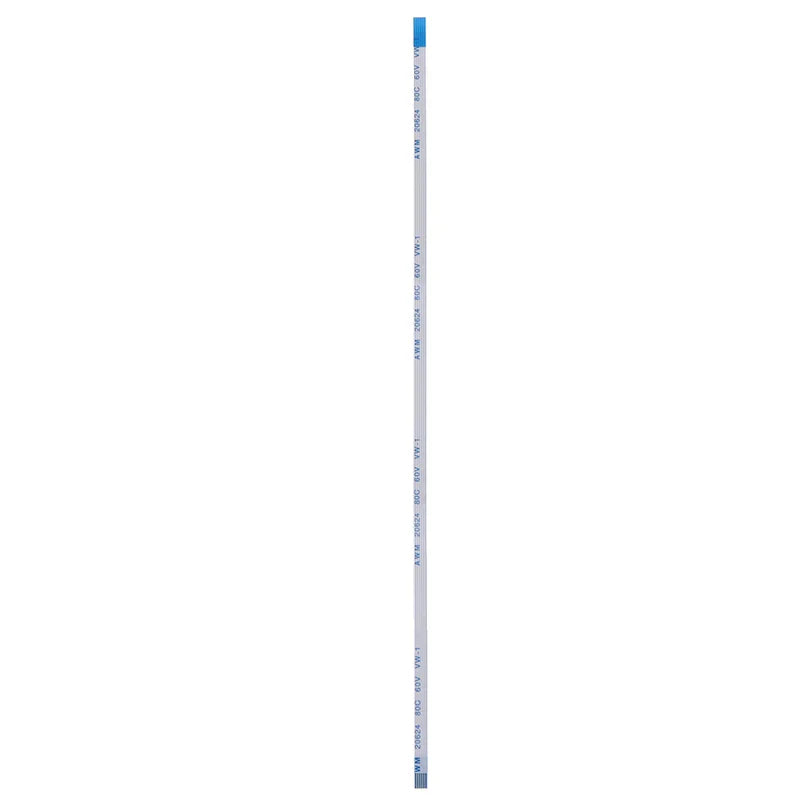
Flex Ribbon Cable for ASUS X550C X550V Y581C – 6-Pin 20cm
Flex Ribbon Cable for ASUS X550C X550V Y581C – 6-Pin 20cm
Couldn't load pickup availability
ASUS Touchpad & Power Switch Flex Ribbon Cable – 6-Pin, 20cm
Keep your ASUS laptop running smoothly with this replacement flexible flat cable (FFC) designed for the touchpad and power switch. Whether your original cable has become damaged, bent, or worn over time, this direct-fit replacement restores full functionality quickly and affordably. Made in Mainland China.
Compatible Models
- ASUS X550C
- ASUS X550CC
- ASUS A550C
- ASUS X550V / X550VC
- ASUS Y581C
- ASUS X45V
- ASUS D452
- ASUS X551M
- ASUS F550J
Key Specifications
- Type: Flexible Flat Cable (FFC)
- Pins: 6-pin connector
- Length: 20 cm (approx.)
- Width: 3.5 mm
- Color: White
- Quantity: 1 piece
Why Choose This Flex Cable?
- ✅ Direct OEM-spec replacement — no modifications required
- ✅ Restores touchpad and power button functionality
- ✅ Precise 6-pin layout for secure, reliable connection
- ✅ Compact, lightweight design for easy laptop installation
- ✅ Cost-effective alternative to purchasing a new laptop or full assembly
Package Contents
- 1× Flex Ribbon Cable (6-pin, 20cm)
Please Note: Measurements are taken manually and may have a tolerance of 0–1 cm. Colors may vary slightly depending on monitor settings.
Related Products You May Need
- 0–300mm PCB Holder Stand | 360° Rotation Soldering Clamp
- 1-Channel Relay Module DC 3.3V–24V Optocoupler for Arduino
- 0.25mm 1000-Turn Precision Copper Inductor Coil for DIY Circuits
For guidance on safe laptop repair and handling of electronic components, visit the U.S. Consumer Product Safety Commission (CPSC) for consumer electronics safety tips.
Learn more: Flexible flat cable
Frequently Asked Questions
Q: Which ASUS laptop models is this flex ribbon cable compatible with?
A: This 6-pin, 20cm flexible flat cable is compatible with the ASUS X550C, X550CC, A550C, X550V, X550VC, Y581C, X45V, D452, X551M, and F550J laptop models. Always verify the pin count and cable length before purchasing to ensure compatibility.
Q: How do I install the touchpad power switch flex ribbon cable?
A: Carefully power off and unplug your laptop, then remove the back panel to access the motherboard. Gently release the ZIF (Zero Insertion Force) connector lock, slide out the old cable, insert the new 6-pin flex cable, and lock the connector back into place. If you are unfamiliar with laptop disassembly, we recommend consulting a qualified technician.
Q: What does the flex ribbon cable connect?
A: This flexible flat cable serves as the data and signal bridge between the laptop's touchpad/power switch assembly and the motherboard, ensuring the touchpad cursor control and power button operate correctly.
Q: Is this an OEM or aftermarket replacement part?
A: This is an aftermarket replacement cable manufactured to match the original OEM specifications in terms of pin count, length, and width for the listed ASUS models.