Peaceful Pleasures Health and Wellness
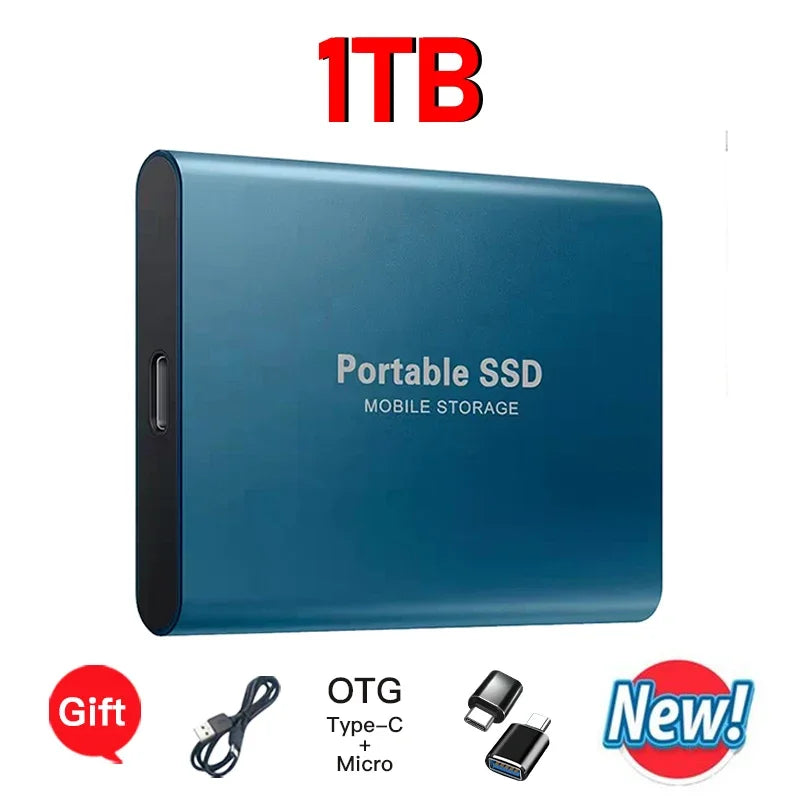
EOENKK 2TB Portable SSD USB 3.1 Ultra-Thin External Drive
EOENKK 2TB Portable SSD USB 3.1 Ultra-Thin External Drive
Couldn't load pickup availability
EOENKK Portable SSD – Ultra-Thin, High-Speed External Storage
Meet the EOENKK Portable SSD — a sleek, ultra-thin external solid state drive built for anyone who needs fast, reliable, on-the-go storage. Whether you're a photographer backing up RAW files, a professional transferring large documents, or a student keeping coursework safe, this pocket-sized powerhouse fits right in your bag or pocket and connects instantly to your PC, laptop, Mac, or compatible smartphone.
Made in Mainland China.
Why Choose the EOENKK Portable SSD?
- Blazing USB 3.1 / Type-C Interface: Enjoy high-speed data transfers so you spend less time waiting and more time working.
- Massive Storage Capacity: Available in multiple capacities up to 2TB — store photos, videos, music, and documents all in one place.
- Ultra-Slim, Durable Design: Aluminum alloy and plastic construction (7.5 × 5.5 × 1 cm) keeps it lightweight and pocket-friendly without sacrificing durability.
- Wide Compatibility: Works with Windows 7, 8, 10, and 11; Mac OS; and Android devices — desktops, laptops, and smartphones.
- ExFAT Format Ready: Pre-formatted in ExFAT for universal read/write access across operating systems.
- No External Power Needed: Bus-powered via USB — no adapters or batteries required.
Technical Specifications
| Material | Aluminum Alloy + Plastic |
| Interface | USB 3.1 / Type-C |
| File System | ExFAT |
| Dimensions | 7.5 × 5.5 × 1 cm |
| Compatible Systems | Windows 7/8/10/11, Mac OS, Android |
| Compatible Devices | Mobile Phone, Desktop, Notebook/Laptop |
| Operating Temperature | 0°C – 40°C |
What's in the Box?
- 1 × EOENKK Portable SSD
- 1 × USB Data Cable
⚠️ Important Usage Notes
- Formatting: Formatting should be performed on Windows only. Always select ExFAT format on first use.
- Mac Users: Use this drive for file storage only — do not format on Mac. Mac users are advised to choose capacities of 2TB or below, as higher capacities may not be fully compatible with Mac OS.
- Not Compatible With: PS4, PS5, Xbox, or other gaming consoles.
- Fast Shipping: Orders ship from China within 24 hours of purchase.
Explore More from Our Store
Looking for other tech accessories? Check out our "1% Better Every Day" Motivational Canvas Poster to inspire your workspace, or browse our "Everything Is Fine" Funny Men's Graphic T-Shirt for a lighthearted desk-side laugh.
For authoritative guidance on data storage standards and digital device compatibility, visit the National Institute of Standards and Technology (NIST).
Frequently Asked Questions
Q: Is this portable SSD compatible with Mac computers?
A: Yes, the EOENKK Portable SSD is compatible with Mac OS for file storage and data transfer. However, Mac users should choose capacities at or below 2TB, as higher capacities may not be fully compatible. On Mac, use the drive to store and access files only — do not reformat it using Mac OS.
Q: What interface does this external SSD use?
A: This portable SSD uses a USB 3.1 / Type-C interface, delivering fast data transfer speeds. It is compatible with any device that has a USB 3.1 or USB-C port, including PCs, laptops, and compatible smartphones.
Q: Can I use this drive with my Android phone?
A: Yes! The EOENKK Portable SSD is compatible with Android smartphones that support USB OTG (On-The-Go). Simply connect it using the included USB data cable to transfer or access files directly from your phone.
Q: Does it work with gaming consoles like PS4, PS5, or Xbox?
A: No, this portable SSD is not compatible with PS4, PS5, Xbox, or other gaming consoles. It is designed for use with Windows PCs, Mac computers, and compatible Android devices only.
Q: What format should I use when setting up this drive for the first time?
A: When formatting the drive for the first time, always select ExFAT format on a Windows PC. This ensures cross-platform compatibility with Mac OS and Android. Do not format the drive using Mac OS.