Peaceful Pleasures Health and Wellness
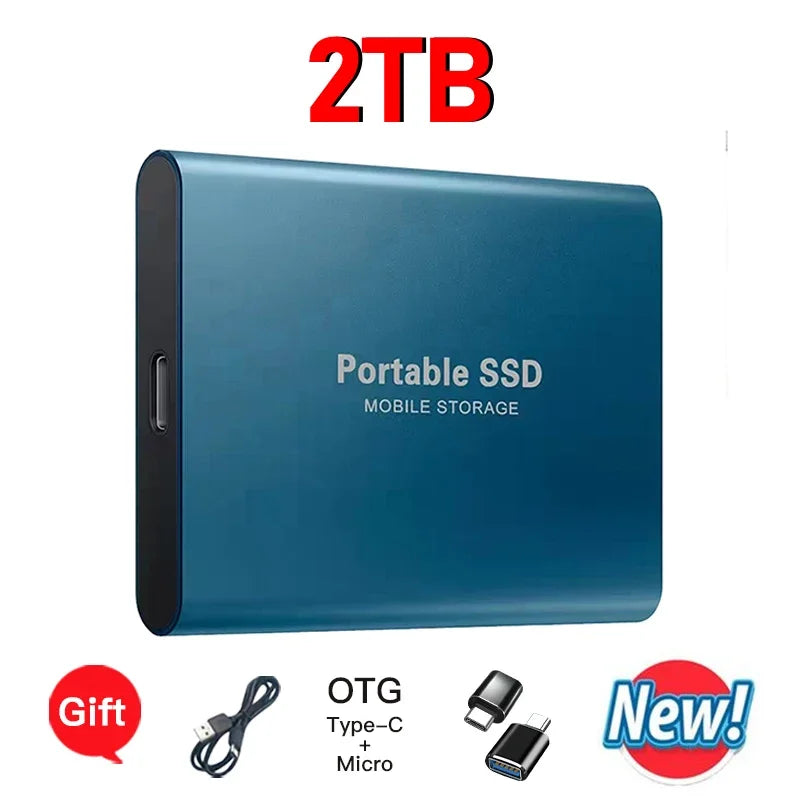
EOENKK Portable External SSD 16TB 32TB 64TB USB 3.1 Drive
EOENKK Portable External SSD 16TB 32TB 64TB USB 3.1 Drive
Couldn't load pickup availability
Massive Portable Storage — Take Your Data Anywhere
The EOENKK High-Speed Portable External Solid State Drive puts enormous storage capacity in the palm of your hand. Whether you're a creative professional managing large video files, a photographer archiving high-resolution images, or simply someone who needs serious backup space, this compact drive delivers up to 64TB of mass storage in a pocket-sized aluminum alloy and plastic shell.
With a USB 3.1 / Type-C interface, data transfers are fast and reliable. The drive is pre-formatted in exFAT, making it instantly compatible with Windows 7, 8, 10, and 11 — and it can be used to store files on Mac OS and Android devices as well.
Key Features
- Massive Capacity Options: Available in 16TB, 32TB, and 64TB configurations to suit your storage needs.
- High-Speed Interface: USB 3.1 / Type-C for quick, efficient data transfers.
- Compact & Portable Design: Slim 7.5 × 5.5 × 1 cm form factor built with durable aluminum alloy and plastic — easy to slip into any bag or pocket.
- Broad Compatibility: Works with Windows 7/8/10/11, Mac OS (file storage), and Android devices — compatible with mobile phones, desktops, and laptops/MacBooks.
- exFAT Format: Cross-platform format supported by modern operating systems for hassle-free file access.
- No External Power Required: Bus-powered via USB — no power adapter needed.
- Ships Fast: Made in China; orders dispatched within 24 hours.
Specifications
| Material | Aluminum alloy + Plastic |
| Interface | USB 3.1 / Type-C |
| File Format | exFAT |
| Dimensions | 7.5 × 5.5 × 1 cm |
| Compatible Systems | Windows 7/8/10/11, Mac OS, Android |
| Compatible Devices | Mobile phone, Desktop, Laptop/MacBook |
| Storage Temperature | 0°C – 40°C |
| Origin | Made in China |
What's in the Box?
- 1 × EOENKK Portable External SSD
- 1 × USB Data Cable
Important Usage Notes
- Formatting: Formatting should only be performed on Windows. Always select exFAT format on first use.
- Mac Users: The drive can be used to store and access files on Mac OS. Do not reformat on Mac. Mac users are recommended to choose capacities of 2TB or below for full compatibility.
- Not Compatible: This drive is not designed for use with PS4, PS5, Xbox, or other gaming consoles.
Explore More from Our Store
Looking for more tech accessories? Check out these great options:
- "1% Better Every Day" Motivational Canvas Poster | Wall Art
- "Everything Is Figureoutable" Sage Green Quote Canvas Wall Art
For guidance on safe data storage practices and protecting your digital files, visit the NIST Cybersecurity Resource Center.
Frequently Asked Questions
Q: Is the EOENKK portable external SSD compatible with Mac computers?
A: Yes, Mac users can use this drive to store and read files. However, Mac users should avoid reformatting the drive, and it is recommended to choose a capacity of 2TB or below for the best Mac OS compatibility. Capacities above 2TB are primarily optimized for Windows use.
Q: What interface does this external solid state drive use?
A: The EOENKK portable SSD uses a USB 3.1 / Type-C interface, which provides high-speed data transfer and is compatible with most modern laptops, desktops, and mobile devices that feature a USB-A or USB-C port.
Q: Can I use this external hard drive with my Android smartphone?
A: Yes, this portable SSD is compatible with Android devices. Simply connect it using the included USB data cable and you can access or transfer files directly from your phone.
Q: Does this drive work with gaming consoles like PS4, PS5, or Xbox?
A: No, this portable external SSD is not designed for use with gaming consoles such as PS4, PS5, Xbox, or similar devices. It is intended for use with Windows PCs, laptops, Mac computers, and Android mobile devices.
Q: What format should I use when setting up the drive for the first time?
A: The drive uses exFAT format, which is supported across Windows and Mac OS. If you need to format the drive, this must be done on a Windows computer, and you must select exFAT as the file format to ensure broad compatibility.