Oasis Select
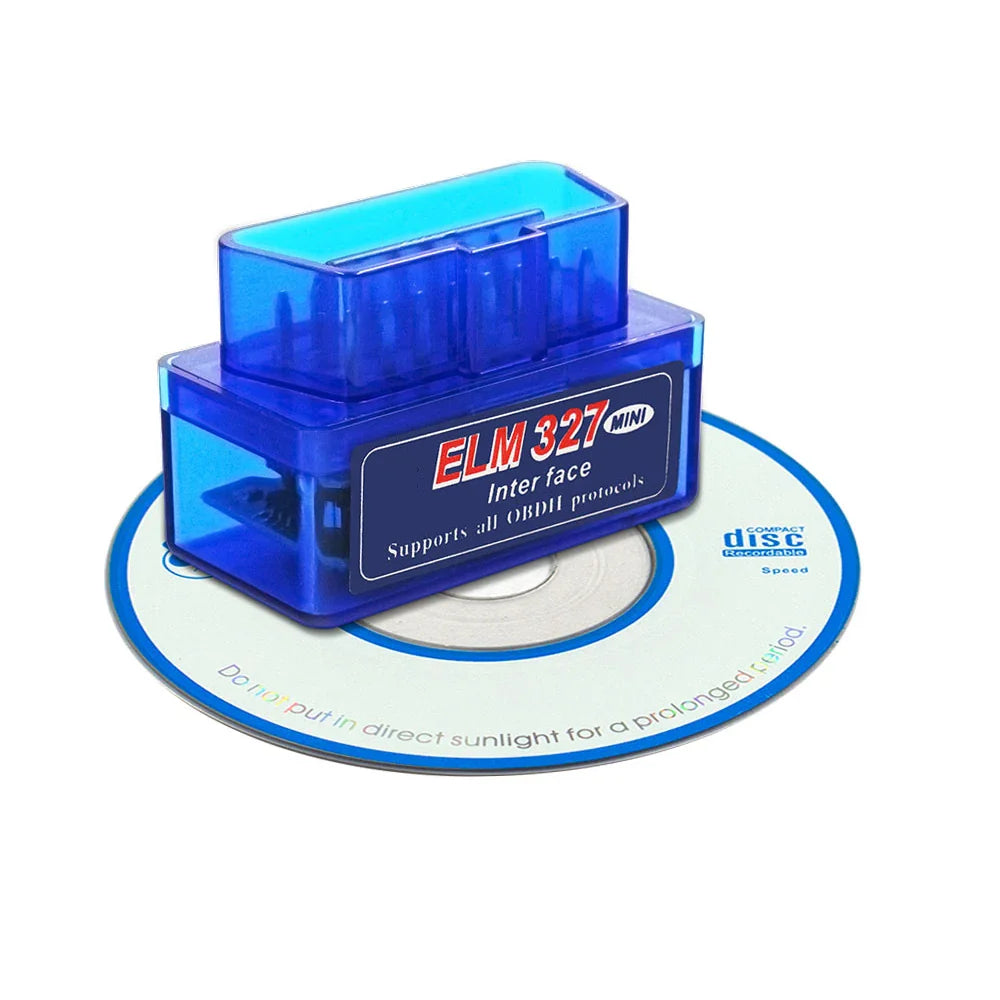
ELM327 V1.5 Bluetooth OBD2 Scanner – Dual PCB PIC18F25K80
ELM327 V1.5 Bluetooth OBD2 Scanner – Dual PCB PIC18F25K80
Couldn't load pickup availability
Read & Clear Car Engine Codes Wirelessly with the ELM327 V1.5 Bluetooth OBD2 Scanner
Take control of your vehicle's health with this ELM327 V1.5 Bluetooth OBD2 Diagnostic Tool. Featuring a genuine PIC18F25K80 chip and a premium dual PCB (2PCB) design, this scanner delivers faster, more stable performance than single-board alternatives. Simply plug it into your car's OBD2 port, pair it with your Android device or Windows PC, and get real-time engine data and fault codes in seconds — no expensive garage visits required.
Made in China.
Key Highlights
- Genuine PIC18F25K80 Chip: Real dual-PCB hardware — 4 MHz OBD chip + 16 MHz Bluetooth module for high-speed, reliable communication.
- Firmware V1.5 / Software V2.1: Latest universal OBD2 code reader firmware for broad vehicle compatibility.
- Supports 9 OBD2 Protocols: Covers CAN, J1850 PWM, J1850 VPW, ISO9141-2, KWP2000, and more — compatible with approximately 90% of petrol and diesel passenger vehicles.
- Bluetooth 2.0 Wireless: Supports ATAL and ATPPS commands; easy pairing with default password 1234 or 0000.
- Wide App Support (Android): Works with Torque, Dashcommand, Auto Doctor, ELM327 Identifier, and more.
- PC Compatible: Works with Windows XP / Windows 7 (32-bit) — remember to disable antivirus during setup.
- Color Options: Available in Blue, White, or Black.
- Note: This Bluetooth version is Android & PC only — it does not work with iOS devices. Contact us if you need an iOS-compatible version.
Technical Specifications
| Chip | PIC18F25K80 (4 MHz) + BT Module (16 MHz) |
| Firmware Version | V1.5 |
| Software Version | V2.1 |
| Wireless | Bluetooth 2.0 |
| PCB Design | Dual PCB (2PCB) |
| Supported Protocols | 9 OBD2 protocols incl. CAN & J1850 |
| Compatible OS | Android 4.0+, Windows XP / Win 7 (32-bit) |
| Vehicle Types | Petrol & Diesel passenger cars (not trucks) |
| BT Pairing Password | 1234 / 0000 |
| Color Options | Blue / White / Black |
| Battery Required | No (powered via OBD2 port) |
What's in the Box
- 1 × Bluetooth ELM327 OBD2 Interface Adapter
- 1 × Software CD
Note: If the CD is damaged, download your app from the Google Play Store, scan the QR code on the packaging, or contact us for a download link.
Compatible Apps (Android)
- Torque Pro / Torque Lite
- Dashcommand
- Auto Doctor
- ELM327 Identifier
Explore More from Our Store
- 100-Pack Disposable Nitrile Gloves – Latex-Free, White, Oil-Proof — great for hands-on diagnostics and car maintenance work.
- 120ml Heavy-Duty Metal Rust Remover & Anti-Rust Spray — keep your vehicle components in top condition.
Learn More
For guidance on understanding vehicle emissions and OBD diagnostic systems, visit the U.S. EPA On-Board Diagnostics (OBD) page.
Frequently Asked Questions
Q: What vehicles are compatible with this ELM327 OBD2 Bluetooth scanner?
A: This scanner is compatible with most petrol (gasoline) and diesel passenger cars that use the standard OBD2 port — generally all cars manufactured for sale in the US after 1996. It supports 9 OBD2 protocols including CAN and J1850, covering approximately 90% of passenger vehicles. It is not suitable for trucks or heavy commercial vehicles.
Q: Does this ELM327 adapter work with iPhone or iOS devices?
A: No. This version uses Bluetooth 2.0, which is Android and Windows PC compatible only. iOS devices require a Wi-Fi or Bluetooth 4.0 (BLE) OBD2 adapter. Please contact us if you need an iOS-compatible version.
Q: What Android apps work with this OBD2 Bluetooth scanner?
A: This adapter works with popular Android OBD2 apps including Torque Pro, Torque Lite, Dashcommand, Auto Doctor, and ELM327 Identifier. Simply pair via Bluetooth using password 1234 or 0000, then launch your preferred app.
Q: Why is a dual PCB (2PCB) design better than a single PCB ELM327?
A: The dual-PCB design separates the OBD2 communication chip (PIC18F25K80 at 4 MHz) from the Bluetooth module (16 MHz), reducing interference and improving stability. This results in faster data transfer, fewer dropped connections, and more reliable real-time readings compared to cheaper single-board clones.
Q: How do I set up the ELM327 on my Windows PC?
A: Plug the adapter into your car's OBD2 port, then pair it with your PC via Bluetooth using password 1234 or 0000. Install the software from the included CD (or download it if the CD is damaged). The adapter is compatible with Windows XP and Windows 7 (32-bit). Be sure to temporarily disable your antivirus software during installation.