Peaceful Pleasures Health and Wellness
Bluetooth FM Transmitter for Car – USB Wireless Audio FM01
Bluetooth FM Transmitter for Car – USB Wireless Audio FM01
Couldn't load pickup availability
Stream Music Wirelessly in Your Car — No Audio Cables Needed
The FM01 Bluetooth Car FM Transmitter lets you play music, podcasts, and hands-free calls through your car's existing FM radio — completely wire-free. Powered by the latest Bluetooth 5.1 technology, it pairs instantly with virtually any smartphone and broadcasts audio over your choice of FM frequency, so you hear everything crystal-clear through your car speakers.
Key Features
- Bluetooth 5.1 — fast, stable pairing with minimal audio lag or dropouts
- 3 FM Frequency Options — 87.5 MHz, 95.0 MHz (default), and 103.0 MHz; choose the clearest channel for your area
- USB-Powered (5V) — plugs into any car USB port or cigarette-lighter USB charger; no batteries required
- Multi-Function Button — switch FM frequencies, pause/resume playback, and answer or end phone calls with a single button
- Hands-Free Calling — built-in call-answer support keeps your hands on the wheel
- FM Frequency Memory — automatically recalls your last-used frequency every time it powers on
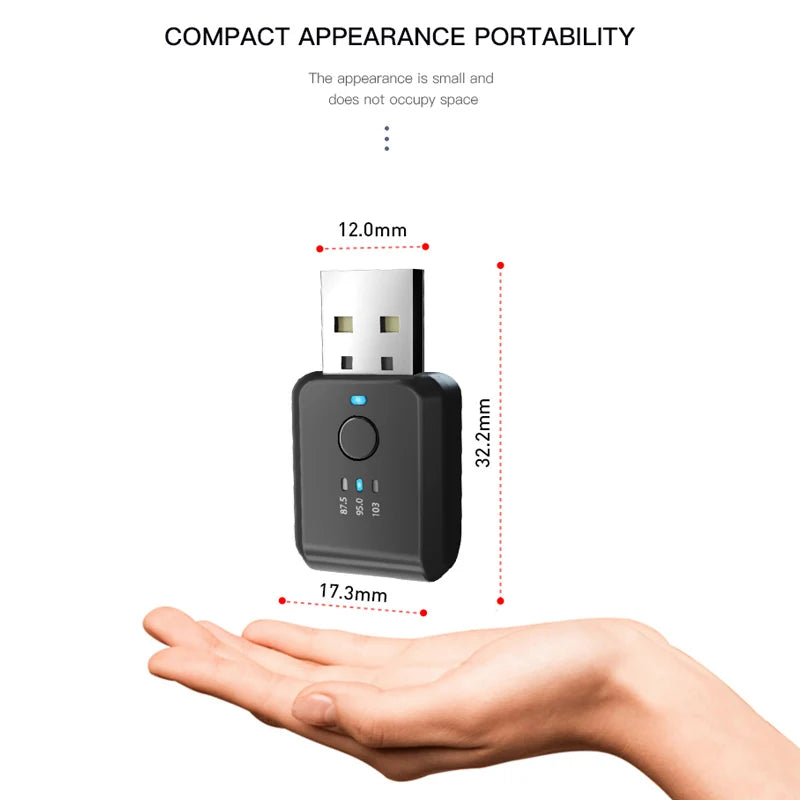
- Compact & Discreet Design — miniature form factor keeps your dashboard tidy
- Universal Compatibility — works with virtually all cars and smartphones
Specifications
| Model | FM01 |
| Bluetooth Version | 5.1 |
| Working Voltage | 5V USB |
| Wireless Range | Up to 10 meters |
| Default FM Frequency | 95.0 MHz |
| Selectable Frequencies | 87.5 / 95.0 / 103.0 MHz |
| Signal-to-Noise Ratio | ≥ 95 dB |
| Hands-Free Calling | Supported |
| Auto FM Memory | Supported |
How to Use
- Plug the FM01 into a 5V USB port in your car (built-in port or cigarette-lighter USB charger).
- Press the button to select your preferred FM frequency (87.5, 95.0, or 103.0 MHz).
- Tune your car radio to the same FM frequency.
- On your smartphone, open Bluetooth settings and pair with "FM01".
- Play music — adjust your phone volume to maximum and set your car volume to a comfortable level.
Pro Tips
- Set your FM frequency before pairing via Bluetooth — you cannot change it after pairing is active.
- If you experience static, try switching to a different FM frequency to find a clearer channel.
- If your car's built-in USB port powers off when the radio turns on, use a cigarette-lighter USB charger instead.
- If the FM01 doesn't appear in your Bluetooth list, clear previously paired devices on your phone, restart it, and try again.
- Unplug the FM01 from the USB port when not in use, as it has no automatic shutdown function.
Made in Mainland China.
Looking to upgrade your full car audio setup? Check out our motivational wall art prints for the home, or explore our retro quote canvas wall art to complete your space.
For guidance on safe driving practices and hands-free device use, visit the National Highway Traffic Safety Administration or learn more about distracted driving safety from the CDC.
Frequently Asked Questions
Q: Which cars and phones are compatible with the FM01 Bluetooth FM Transmitter?
A: The FM01 is compatible with virtually all cars that have an FM radio and a 5V USB port (or a cigarette-lighter USB charger). It pairs with any Bluetooth-enabled smartphone — Android, iPhone, and more — using Bluetooth 5.1.
Q: What should I do if I hear static or noise through my car speakers?
A: Try switching to a different FM frequency (87.5, 95.0, or 103.0 MHz) to find the clearest channel with the least radio interference in your area. Also, make sure your phone's Bluetooth volume is set to maximum before adjusting your car's radio volume.
Q: Can I answer phone calls with the FM01?
A: Yes! The FM01 supports hands-free calling. When a call comes in, simply press the multi-function button to answer. Press it again to end the call — keeping your focus safely on the road.
Q: Does the FM01 remember my FM frequency setting after I unplug it?
A: Yes. The FM01 features automatic FM frequency memory, so it will default to the last frequency you selected every time it is powered on — no need to reconfigure each time.