Peaceful Pleasures Health and Wellness
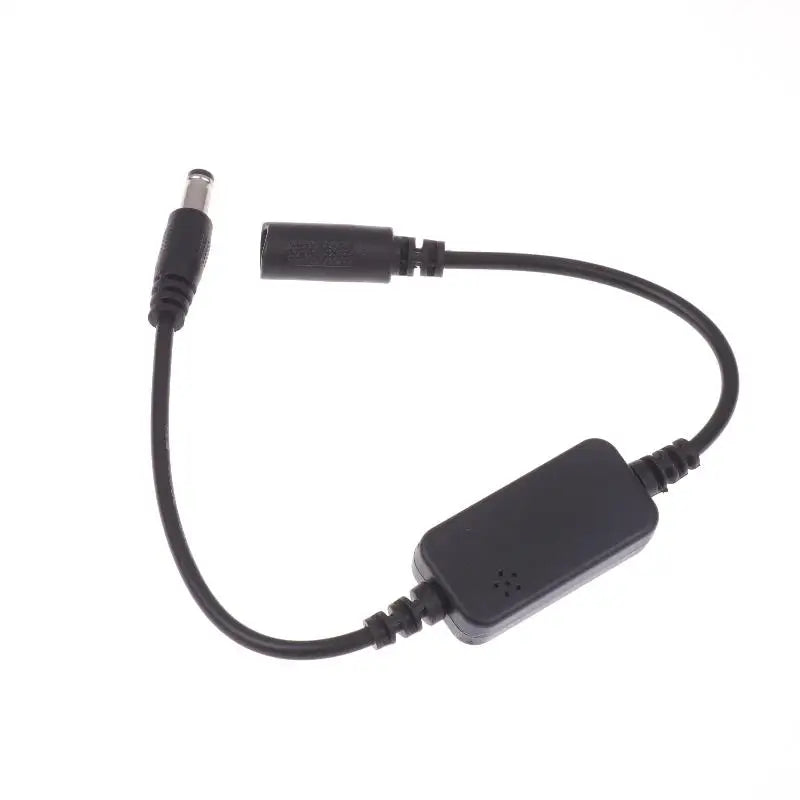
Auto 24H WiFi Router Reboot Timer Cable | DC 5.5x2.1mm
Auto 24H WiFi Router Reboot Timer Cable | DC 5.5x2.1mm
Couldn't load pickup availability
Keep your internet connection running smoothly with this Automatic 24-Hour WiFi Router Reboot Cable. Designed to automatically power cycle your router or modem once every 24 hours, this plug-and-play device helps clear memory buildup, reduce network congestion, and maintain peak bandwidth performance — all without any manual intervention.
Note: This product is an electronic accessory and is not intended to diagnose, treat, cure, or prevent any disease or health condition. These statements have not been evaluated by the Food and Drug Administration.
Why Reboot Your Router Regularly?
Over time, routers accumulate cached data and memory clutter that can slow down your internet speeds and cause connectivity issues. A simple daily reboot clears this buildup automatically, keeping your home or office network running at its best — without you having to remember to do it yourself.
Key Features
- Automatic 24-Hour Cycle: Powers off your router for 5–30 seconds every 24 hours, starting from when you first plug it in.
- Plug & Play: No setup, no apps, no configuration — just connect and forget.
- Universal Compatibility: Works with virtually all home routers, optical modems, and similar DC-powered devices.
- Compact & Discreet: Small body (4.3 × 2.2 × 1.1 cm) fits neatly behind your router setup.
- No Human Intervention Needed: Set it once and let it handle your daily router reset automatically.
Technical Specifications
- Input Voltage: DC 9V–15V
- Output Voltage: DC 9V–15V
- Connector: 5.5 × 2.1mm DC barrel jack
- Max Power: 2A / 30W
- Timer Cycle: Every 24 hours
- Power-Off Duration: 5–30 seconds
- Cable Length: Approx. 59 cm (23 inches)
- Body Dimensions: 4.3 × 2.2 × 1.1 cm
- Material: Durable plastic housing
How It Works
Simply connect this cable between your router's power adapter and the router itself. The moment it's plugged in, the 24-hour countdown begins. Every day at the same time you first connected it, your router will automatically power off for a few seconds and then restart — improving network efficiency and clearing congestion without any effort on your part.
Example: Connect at 9:00 AM today → router auto-reboots at approximately 9:00 AM every day from then on.
What's in the Box
- 1× Automatic Router Reboot Timer Cable
You Might Also Like
- 1/2 Channel Tuya WiFi Smart Relay Switch | 16A, Alexa & Google Home, App & Voice Control
- 1/2 Channel Tuya WiFi Smart Relay Switch – Smart Automation Module
For more information on how regular router reboots can improve home network performance, see this resource from Energy.gov on Home Electronics and general networking guidance from NIST's Home Network Security Guidelines (PDF).
Frequently Asked Questions
Q: How does the automatic WiFi router reboot cable work?
A: The automatic router reboot cable sits inline between your router's power adapter and the router. Once plugged in, it starts a 24-hour internal timer. When the timer completes its cycle, the cable cuts power to the router for 5 to 30 seconds and then restores it — effectively performing a full reboot. This daily power cycle helps clear cached memory, reduce network congestion, and improve overall WiFi performance without any manual effort.
Q: Is this router reboot timer compatible with my router or modem?
A: This router reboot timer cable is compatible with most home routers and optical modems that use a standard 5.5 × 2.1mm DC barrel power connector and operate within a DC 9V–15V voltage range. It supports up to 2A and 30W of power, which covers the vast majority of consumer-grade routers. Please verify your router's power adapter output specifications before purchasing.
Q: Can I set a specific time for my router to reboot?
A: The reboot time is automatically set by when you first plug the device in. For example, if you connect it at 8:00 PM, your router will reboot every day at approximately 8:00 PM. To change the reboot time, simply unplug the device and reconnect it at your preferred time of day — the 24-hour countdown will restart from that moment.
Q: Will this interrupt my internet connection significantly?
A: The power-off period lasts only 5 to 30 seconds, after which your router restarts and reconnects to your internet service provider. Most routers reconnect within 1–2 minutes. While there is a brief daily interruption, the improvement in network speed and stability throughout the rest of the day typically far outweighs this short downtime.