Peaceful Pleasures Health and Wellness
32GB Encrypted USB 3.0 Flash Drive – Secure 2-Pack
32GB Encrypted USB 3.0 Flash Drive – Secure 2-Pack
Couldn't load pickup availability
Keep Your Data Safe with Hardware-Encrypted USB Flash Drives
Take full control of your digital privacy with this 2-pack of 32GB USB 3.0 encrypted flash drives. Featuring real-time hardware encryption, an automatic locking function, and a built-in self-destruct security protocol, these drives are engineered for anyone who values the safety of their personal, professional, or sensitive data. Whether you're a business professional, student, or privacy-conscious individual, these drives give you genuine peace of mind every time you plug in.
Made in Mainland China.
🔒 Top Security Features
- Hardware Encryption: Real-time encryption of all user data during use — your files are protected even if the drive is lost or stolen.
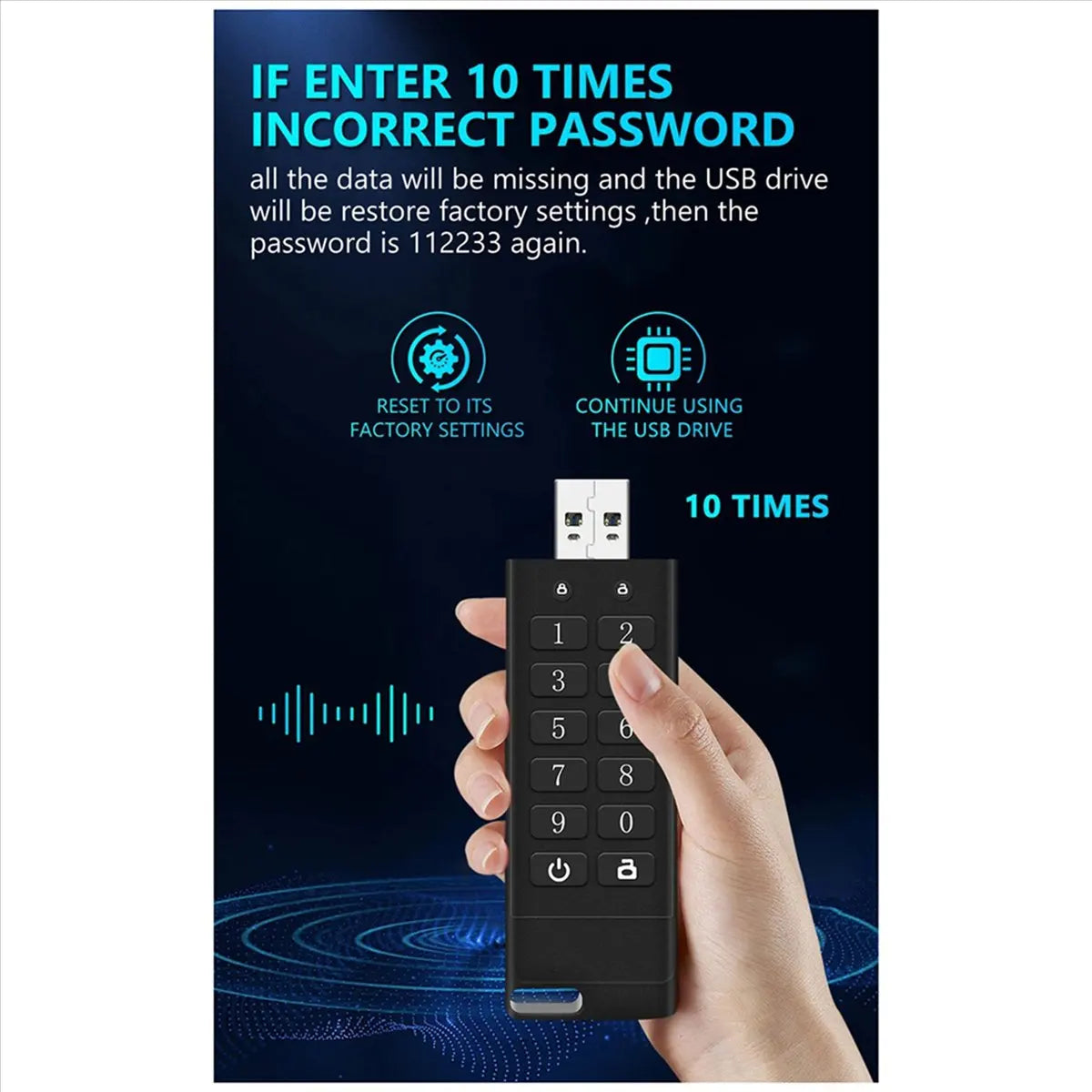
- 10-Attempt Password Lockout: After 10 incorrect password attempts, all data is wiped and the drive resets to factory defaults — your data stays out of the wrong hands.
- Automatic Locking: The drive automatically locks when unplugged, so you never have to worry about leaving it unlocked accidentally.
- Default Password: 112233 (change immediately upon first use for maximum security).
⚡ Fast, Reliable USB 3.0 Performance
- USB 3.0 interface for high-speed data transfer — move large files quickly and efficiently.
- Plug-and-play compatibility with Windows, Mac, Linux, and embedded operating systems — no drivers needed.
- Durable ABS body with high-gloss metal surface finish for a premium, professional look and feel.
📦 What's in the Box?
- 2 × 32GB Encrypted USB 3.0 Flash Drives (Black)
📐 Specifications
| Capacity | 32GB |
| Interface | USB 3.0 |
| Color | Black |
| Material | ABS |
| Dimensions | 9cm × 2cm × 1cm |
| Weight | 96g |
| Compatible OS | Windows, Mac, Linux, Embedded OS |
| Package | 2-Pack |
🛠️ How to Use
- Insert the USB drive into your computer's USB port.
- Enter your password (the LED traffic light indicator will flash).
- Press the unlock button to access your files.
- Note: The default password is 112233. We strongly recommend changing it immediately.
🔗 Related Products You May Like
- 10-Compartment Portable Daily Travel Organizer
- 10-in-1 Multi-Head USB Charging Cable – Universal Multi-Port
📚 Learn More About Data Security
- Cybersecurity & Infrastructure Security Agency (CISA) – Data Protection Tips
- NIST Cybersecurity Framework
Note: External security resource links are provided for informational purposes only.
Frequently Asked Questions
Q: How does the hardware encryption on this USB 3.0 flash drive work?
A: The encrypted USB drive uses real-time hardware encryption to automatically scramble your data as it is written to the drive. This means your files are protected at the hardware level — no software installation is required, and the data cannot be accessed without the correct password, even if the physical drive is removed and connected to another device.
Q: What happens if I forget my password for the secure USB flash drive?
A: If the wrong password is entered 10 consecutive times, the drive will automatically wipe all stored data and reset to factory settings. The password will revert to the default: 112233. Please note that this process is irreversible — all data will be permanently lost, so make sure to store your password in a safe place.
Q: Is this encrypted USB drive compatible with my Mac or Linux computer?
A: Yes! This secure 32GB USB 3.0 flash drive is plug-and-play compatible with Windows, Mac, Linux, and most embedded operating systems. No additional drivers or software are needed — simply insert, authenticate with your password, and you're ready to go.
Q: Does the automatic locking feature activate when I remove the USB drive?
A: Yes. The automatic locking function ensures the drive locks itself whenever it is unplugged from a computer. This provides a second layer of security so you never have to manually lock the drive — it's always protected when not in active use.