Peaceful Pleasures Health and Wellness
Replacement Pen Nibs for HP, Dell & Asus Stylus | 4096 Pressure
Replacement Pen Nibs for HP, Dell & Asus Stylus | 4096 Pressure
Couldn't load pickup availability
Replacement Stylus Pen Nibs – Compatible with HP, Dell & Asus Pens
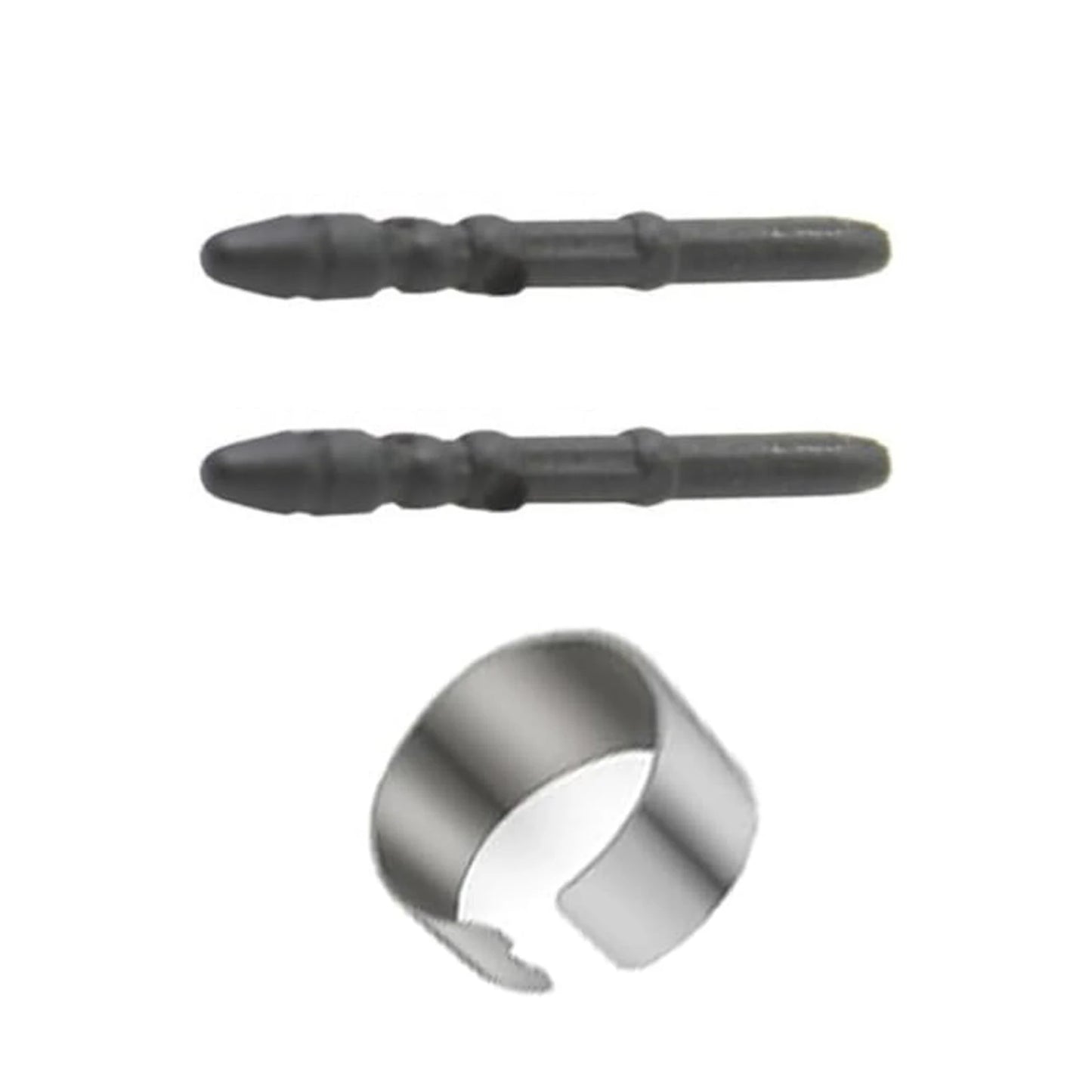
Keep your digital stylus performing like new with these high-quality replacement pen nibs. Designed for precision and durability, these rubber-tipped nibs deliver a smooth, scratch-free writing and drawing experience on capacitive touchscreens. Whether you're sketching, note-taking, or annotating documents, these nibs offer the tactile feel and responsiveness you expect from your original pen.
Made in Mainland China.
Wide Compatibility
These replacement nibs are compatible with a broad range of stylus pens, including:
- HP: 1MR94AA, 2MY21AA, HSA-M001S, 905512-001
- Dell: PN350M, PN338M
- Asus: SA200H, SA201H
- Microsoft: Surface Pro 3 Pen
Key Features
- 4096 Levels of Pressure Sensitivity – Experience highly accurate, natural writing and drawing with ultra-fine pressure detection for professional-grade results.
- Smooth, Scratch-Free Glide – The rubber nib slides effortlessly across your screen, reducing friction and protecting your display from unwanted marks.
- Easy Plug-In Installation – Replace your worn nib in seconds by following the same procedure as the original. Simply insert straight into the grip slot until secure.
- Long-Lasting & Cost-Effective – Made from quality rubber, these nibs are built to last, saving you from frequent replacements and unnecessary expenses.
- No Battery Required – Lightweight and hassle-free; no extra power source needed.
What's in the Box
- 1× Replacement Nib Tip
- 1× Refill Clip
Installation Tips
Ensure the nib tip is inserted straight into the grip slot and that you can no longer feel any spring-back. If the nib appears to be slipping out, re-insert it firmly a few more times until it seats securely. Always follow the same replacement procedure used for the original nib.
Related Products You May Like
- 1-In-2-Out HDMI Splitter Cable 1080P 3D – TV Monitor Projector
- 1.8M DisplayPort to HDMI Cable 4K DP Adapter – PC TV Monitor
For more information on safe use of electronic accessories and devices, visit the U.S. Consumer Product Safety Commission (CPSC) for consumer electronics safety guidelines.
Frequently Asked Questions
Q: Which stylus pens are compatible with these replacement nibs?
A: These replacement nibs are compatible with HP stylus pens (1MR94AA, 2MY21AA, HSA-M001S, 905512-001), Dell pens (PN350M, PN338M), Asus pens (SA200H, SA201H), and the Microsoft Surface Pro 3 Pen. Always double-check your specific pen model number before purchasing.
Q: How do I install the replacement nib?
A: Insert the new nib straight into the grip slot of your stylus pen. Push firmly until you no longer feel any spring-back from the slot. If the nib feels loose or slips out, try reinserting it firmly a few more times. The process mirrors the original nib replacement procedure for your pen model.
Q: Do these replacement nibs support pressure sensitivity?
A: Yes! These nibs support up to 4096 levels of pressure sensitivity, providing a highly accurate and responsive writing or drawing experience on any compatible capacitive touchscreen device.
Q: How long will these nibs last?
A: These nibs are made from durable rubber and are designed to last a long time under normal use. You should only need to replace them if your nib becomes visibly worn down or your stylus pen malfunctions. Their longevity makes them a cost-effective choice compared to buying a new pen.