Peaceful Pleasures Health and Wellness
5.25" Touchscreen PC Fan Controller – 5 Channel Temp Monitor
5.25" Touchscreen PC Fan Controller – 5 Channel Temp Monitor
Couldn't load pickup availability
Take Full Control of Your PC's Cooling System
The Arealer 5.25" Touchscreen Fan Controller gives PC builders and enthusiasts complete command over their system's airflow and temperature. Fitting neatly into any standard 5.25" drive bay, this sleek controller lets you monitor and manage up to 5 independent fan channels — all from a gorgeous, responsive touchscreen display. Whether you're pushing your rig in an intense gaming session or keeping things quiet during everyday tasks, this controller adapts to your needs automatically or manually. Made in Mainland China.
Why You'll Love It
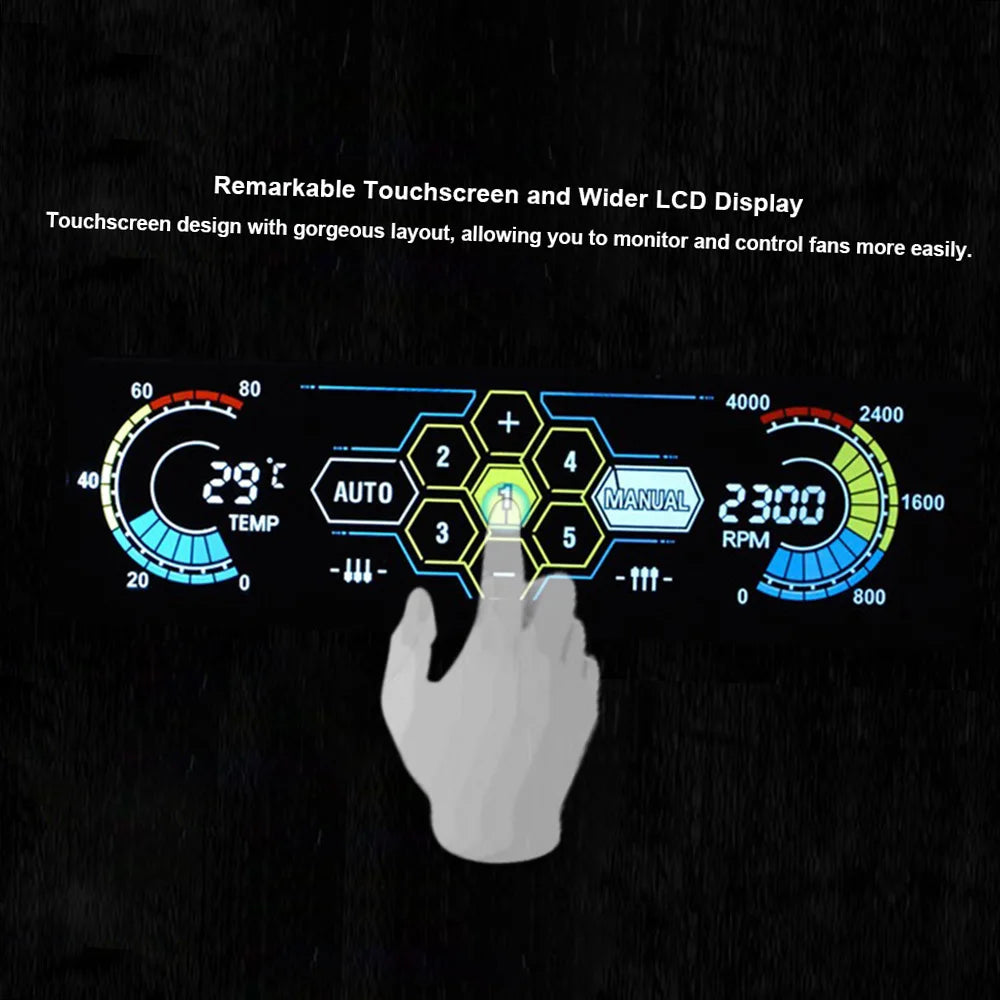
- Intuitive Touchscreen Interface – A beautifully laid-out touchscreen puts temperature readings (°C & °F), fan RPM, and speed controls right at your fingertips.
- 5 Independent Fan Channels – Control up to 5 fans simultaneously, with each channel delivering up to 10W of power — enough to drive even the most demanding high-performance fans.
- Auto & Manual Modes – Let the controller intelligently adjust fan speeds based on real-time temperature probe readings, or take over manually for pinpoint control of each individual fan.
- Temperature Monitoring with Audible Alert – Place the included probes anywhere inside your case — on your GPU, CPU, or hard drives — and receive an audible warning if temperatures exceed your preset threshold.
- Efficiency Mode – Automatically ramps all fans to their fastest or slowest speed for optimized cooling performance at the touch of a button.
- Universal Fan Compatibility – Works with both 3-pin and 4-pin fan connectors, making it compatible with virtually every PC fan on the market.
- Wide CPU Socket Support – Compatible with LGA 1700, LGA 1200, AM4, AM5, TR4, and dozens more Intel and AMD socket types.
Technical Specifications
| Model | STW-5036 |
| Compatibility | 5.25" drive bay |
| Fan Channels | 5 |
| Output Voltage | 5V – 12V |
| Input Voltage | 5V – 12V |
| Output Power | 10W per channel |
| Fan Connector | 3-pin / 4-pin compatible |
| Power Connector | 4-pin |
| Cable Length (Fan) | 5 × 62.5 cm / 24.61 in |
| Cable Length (Power) | 23 cm / 9.05 in |
| Cable Length (Probe) | 62 cm / 24.41 in |
| Item Size | 15 × 8 × 4.2 cm (L×W×H) |
| Item Weight | 172.1 g / 6.07 oz |
What's in the Box
- 1 × Fan Controller
- 1 × User Manual (English & Chinese)
- 4 × Mounting Screws
Related Products You May Like
- 1 to 5 SATA Power Splitter Cable 18AWG | HDD SSD Extension
- 1.8M DisplayPort to HDMI Cable 4K DP Adapter – PC TV Monitor
For more information on PC cooling best practices and thermal management, visit the U.S. Department of Energy's cooling guidance.
Frequently Asked Questions
Q: Is this 5.25" fan controller compatible with my motherboard?
A: Yes! The Arealer STW-5036 fan controller is designed to be compatible with a wide range of CPU sockets including Intel LGA 1700, LGA 1200, LGA 1151, and AMD AM4, AM5, TR4, and many more. It connects via a standard 4-pin power connector and is independent of your motherboard's fan headers, so it works with virtually any desktop PC build.
Q: Can I control fans individually, or only all at once?
A: You can do both! In Manual Mode, you can adjust each of the 5 fan channels independently to your preferred speed. In Auto Mode, the controller uses temperature probe readings to automatically manage all fans together for optimal cooling efficiency.
Q: Does this fan controller support 3-pin fans as well as 4-pin fans?
A: Yes, the STW-5036 is compatible with both 3-pin and 4-pin fan connectors, so you can use it with virtually any case fan, CPU cooler fan, or other PC cooling fans regardless of connector type.
Q: How do I set the temperature alert threshold?
A: Using the touchscreen interface, you can navigate to the temperature alert settings and set your desired maximum temperature. If any probe detects a temperature above your preset limit, the controller will sound an audible alarm to warn you before your components are at risk of overheating.